A parent’s phone can’t connect
The phone talks to the computer over the home Wi-Fi, without going through the Internet. Check in this order:
- The phone is on the home Wi-Fi, not on 4G or 5G. If the page doesn't load, turn mobile data off for a moment.
- Not on a “guest” Wi-Fi: it stops devices from talking to each other.
- Has the QR code expired? In Moi › Parents it renews itself: scan the one shown now.
- Is the computer asleep? After 20 minutes of doing nothing it goes to sleep: press a key.
- Still nothing? Restart the box. Sometimes a box stops letting a device that has just joined its Wi-Fi talk to others.
On a Bbox (French ISP box)
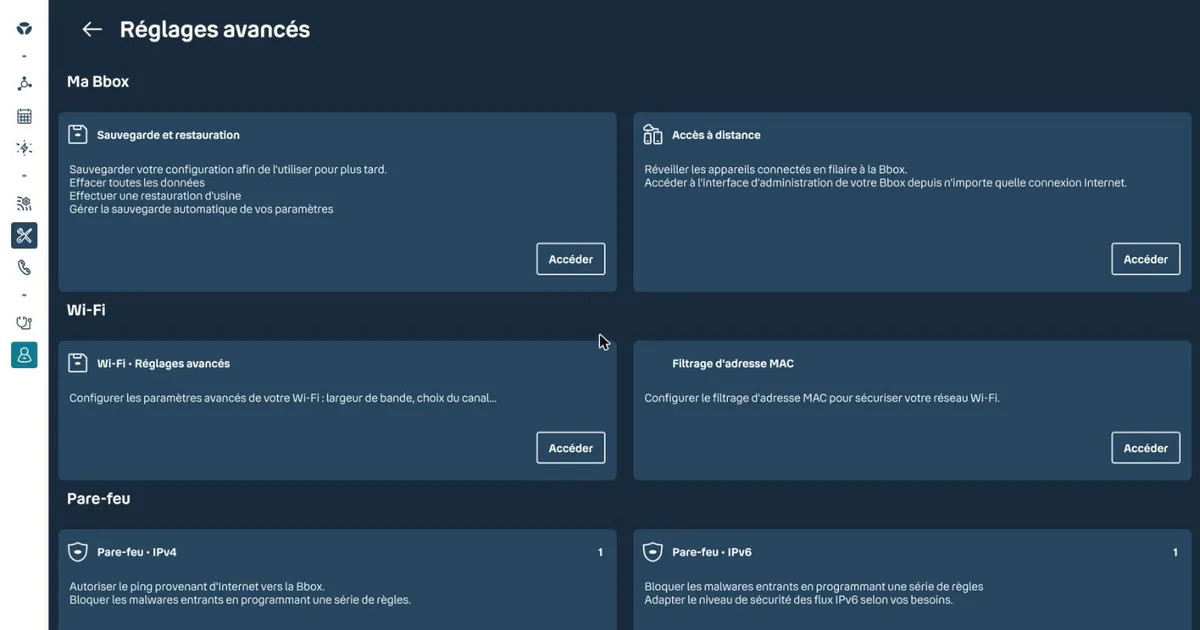
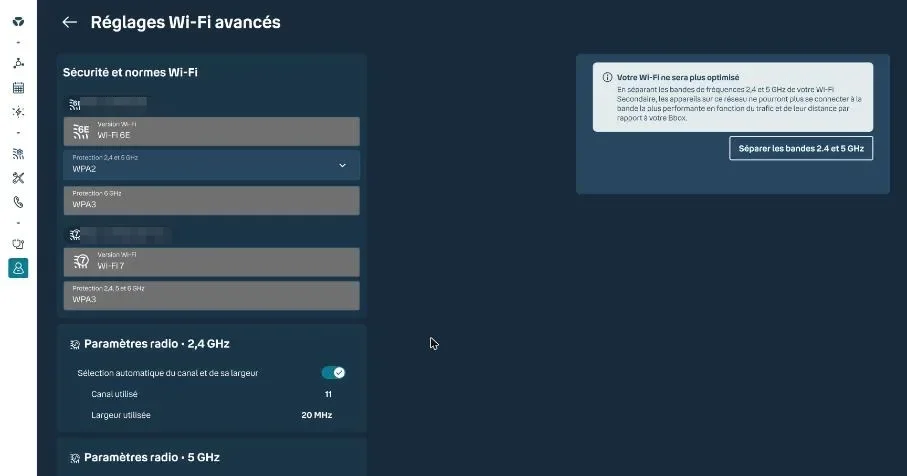
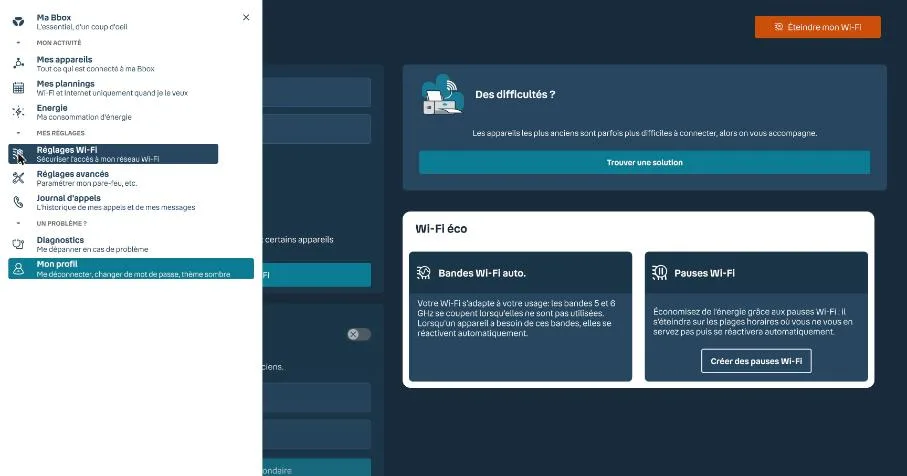
To see the box's Wi-Fi networks (on mabbox.bytel.fr):
- In the menu, “Réglages avancés” (Advanced settings).
- Then “Wi-Fi - Réglages avancés”.
- The box's networks: the simplest is to put the phone and the computer on the same network name.
Updated on