Shared folders
In System › Partages (or in Files: right-click a folder › Scripts › Partager…), choose one of your folders, the Poto, and what they may do: look and copy, or also drop files in.
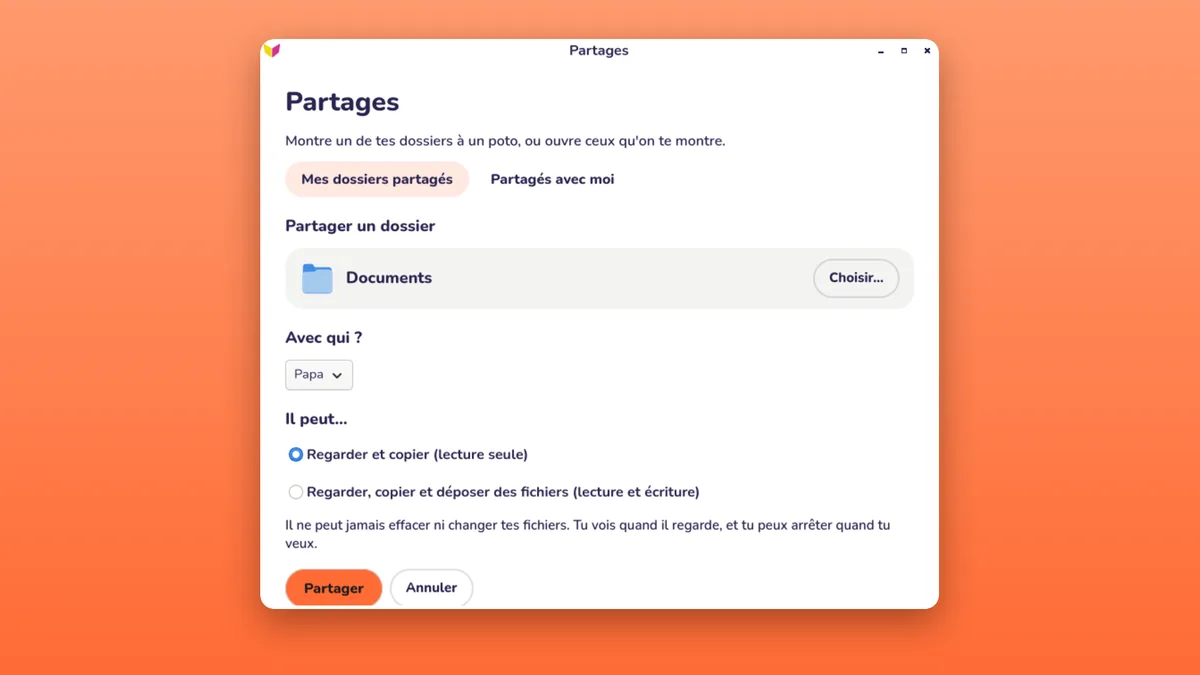
- With whom? A Poto: another Yapuka computer, added side by side in Ella. A parent or a teacher who has Yapuka is added the same way.
- Nobody can delete or change your files. When someone is looking, the top of the screen says so, and Qui a regardé keeps a record. Arrêter closes the folder at once.
- Folders shown to you are in Partagés avec moi: Copier chez moi puts them in Downloads.
It works when both computers are on the same Wi-Fi. You can't share your whole home folder or a hidden folder. Your parents can close sharing from their phone.
Updated on