accessibility
A computer that adapts to you.
See better, read better, less movement, all by keyboard: it is set in Appearance › Accessibility, and changes right away.
Five settings.
- Bigger textNormal, Large or Very large.
- Big cursorThe mouse arrow, twice as big, everywhere.
- Less animationThe animated wallpaper stops and movement calms down.
- Easy-to-read fontAndika: letters designed for learning to read, where b and d don’t look alike.
- High contrastA black and yellow theme, in Appearance › Themes.
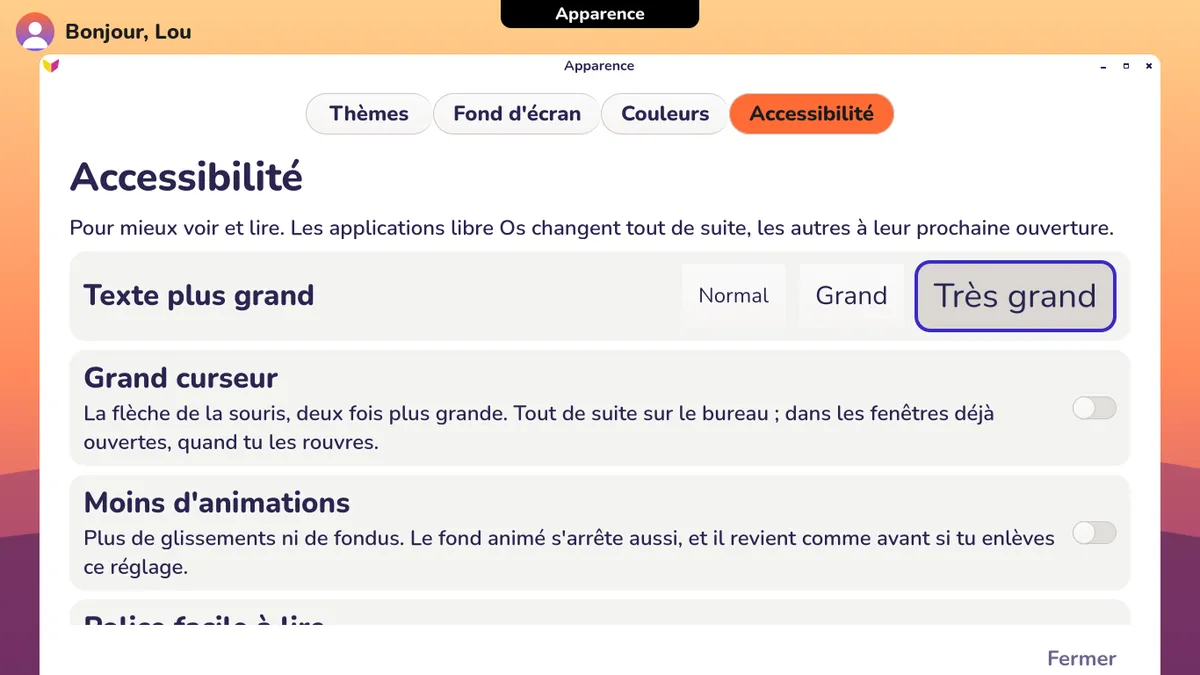
see it
Four themes, one file each.
Rivage, Nuit, Prairie and High contrast are ready. An editor lets you make your own, import it, export it.
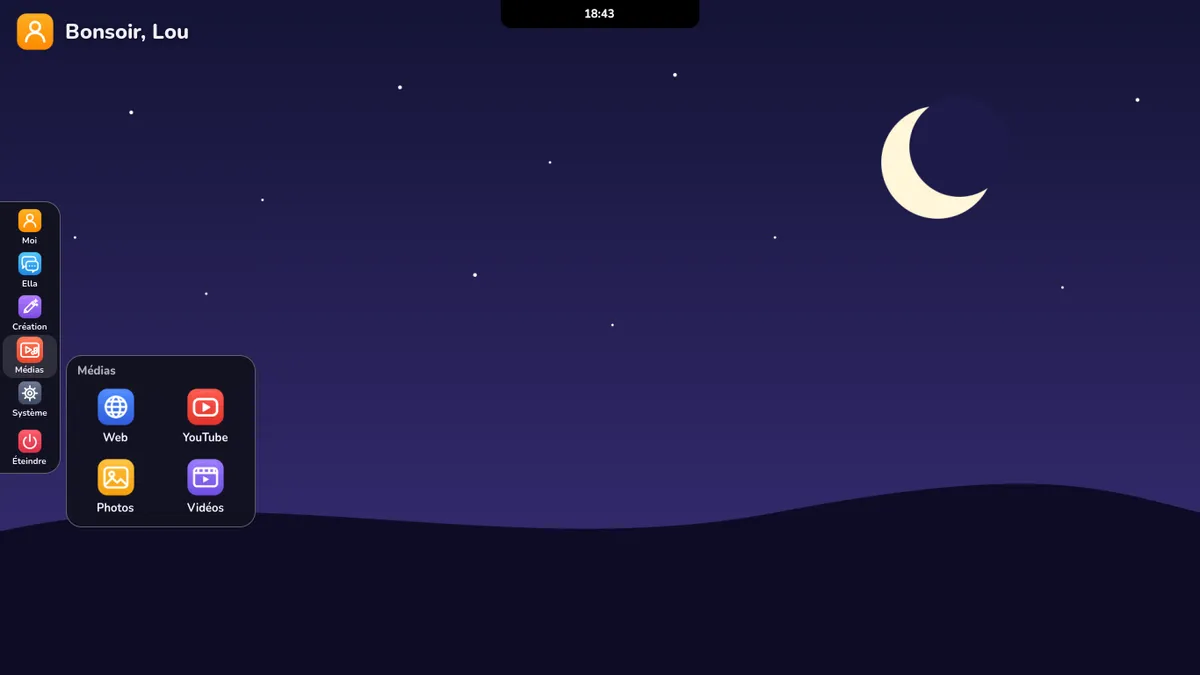
Nuit
For the evening.
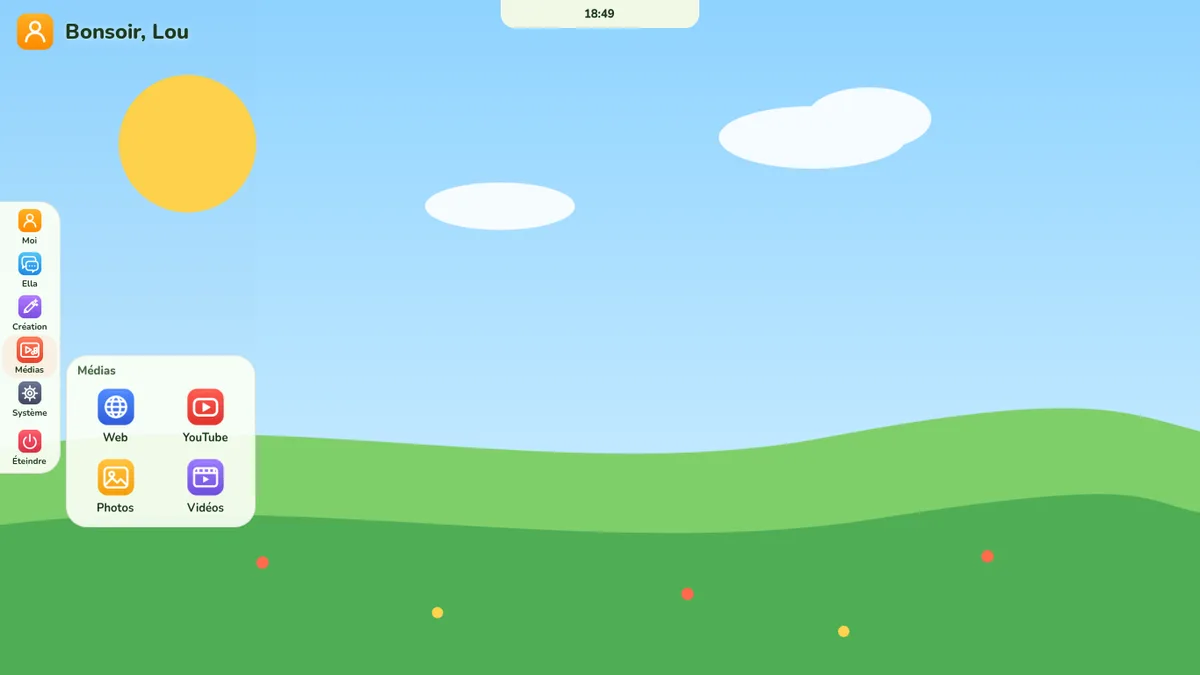
Prairie
For the day.
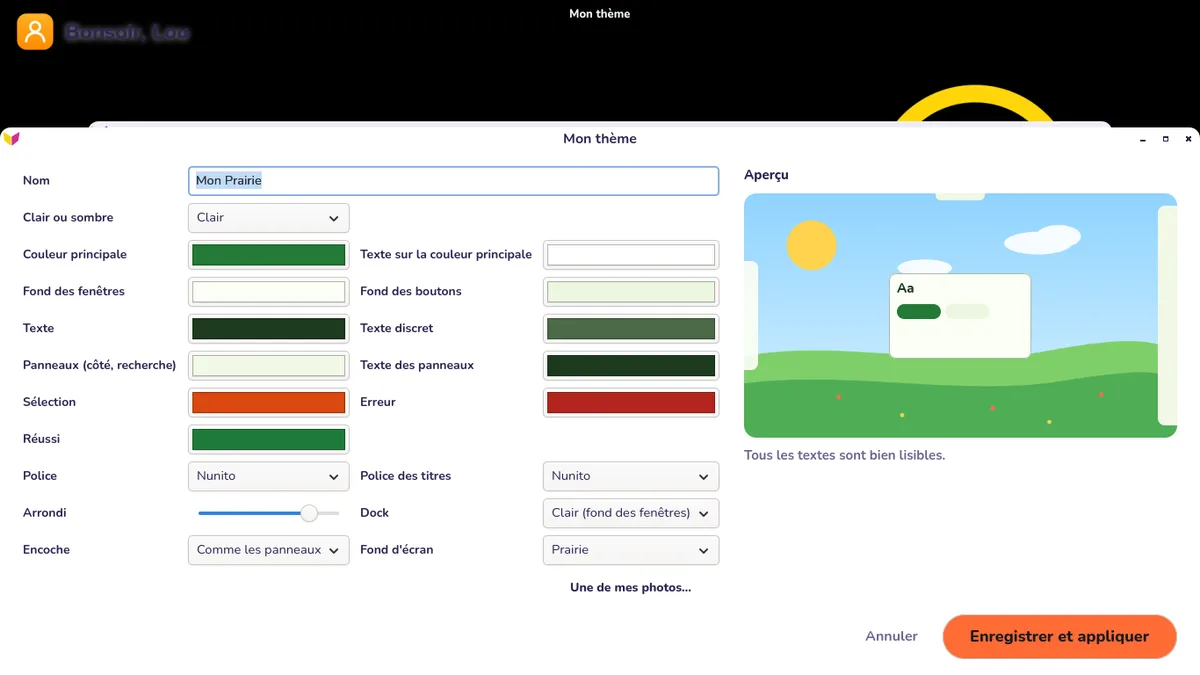
Editor
For yours.
one theme = one JSON file
by keyboard
Everything is reachable without a mouse.
The dock and the panel can be reached by keyboard, the Windows key opens the launcher, and messages say what to do next, with no jargon and no error code.
- Windows: launcher
- Print Screen: capture
- Keyboard dock
- Offline help
Accessibility is still being built, and we’d rather say so. Planned: “Read aloud” in French, offline, then the Orca screen reader, tested with real people. An idea, a need? Write to us.