A complete desktop. Apps to make things.
Every image is a real capture or video of Yapuka on the test computer. Under each simple gesture, one technical line says how it works.
The dock
It slides in from the left edge and hides when unused. Apps are sorted in groups: Moi, Ella, Create, Media, System.
labwc · 1 program for dock, panel, Fidel, launcher: 107 MB
The launcher
The Windows key opens “What do you want to open?”. Type a few letters: an app, a note, or “Shut down”.
searches apps, Andy notes, files and actions
Things that matter
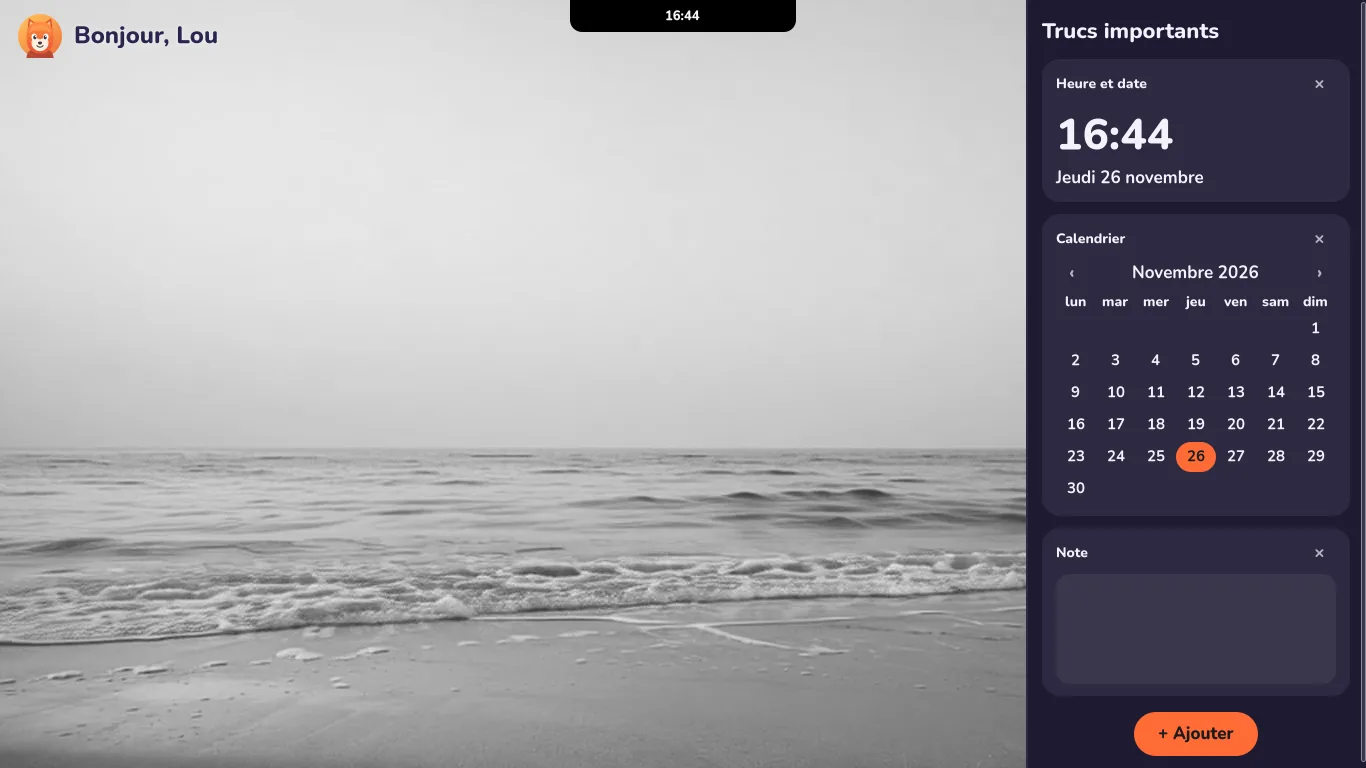
The dark panel on the right edge: time, calendar, weather, a note, a timer.
hidden until the mouse touches the edge
Fidel
Fidel shows the open app’s title, and notifications come out of Fidel. On hover: sound, connection, battery.
wlrctl · notify-send
Appearance and themes
A wallpaper (even animated), light or dark, a colour. Rivage, Nuit, Prairie, High contrast, and an editor to make your own.
one theme = one JSON file · importable, exportable
Ella and the extensions
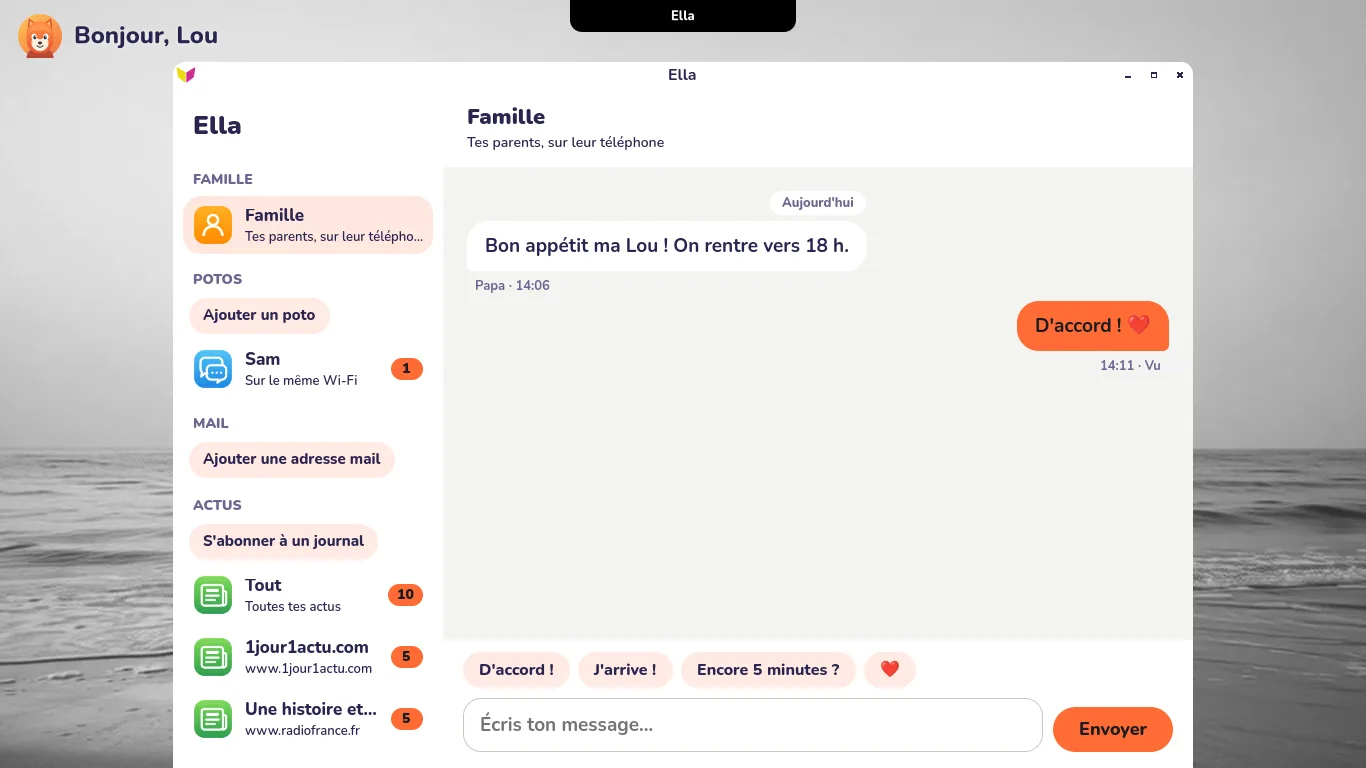
Ella: the “Famille” messenger, then “Potos” (other Yapuka computers on the same Wi-Fi). Extensions install in one click, free and signed.
TLS 1.3 · 4 pictures to compare · signed updates
Always there, or add-ons.
A small base, and free signed extensions installed from “Extensions”. Anything big is an extension, so Yapuka stays light. Games, Code, Game maker, My music, Learn Korean, My body and well-known programs such as LibreOffice or GIMP complete the list.
Moi
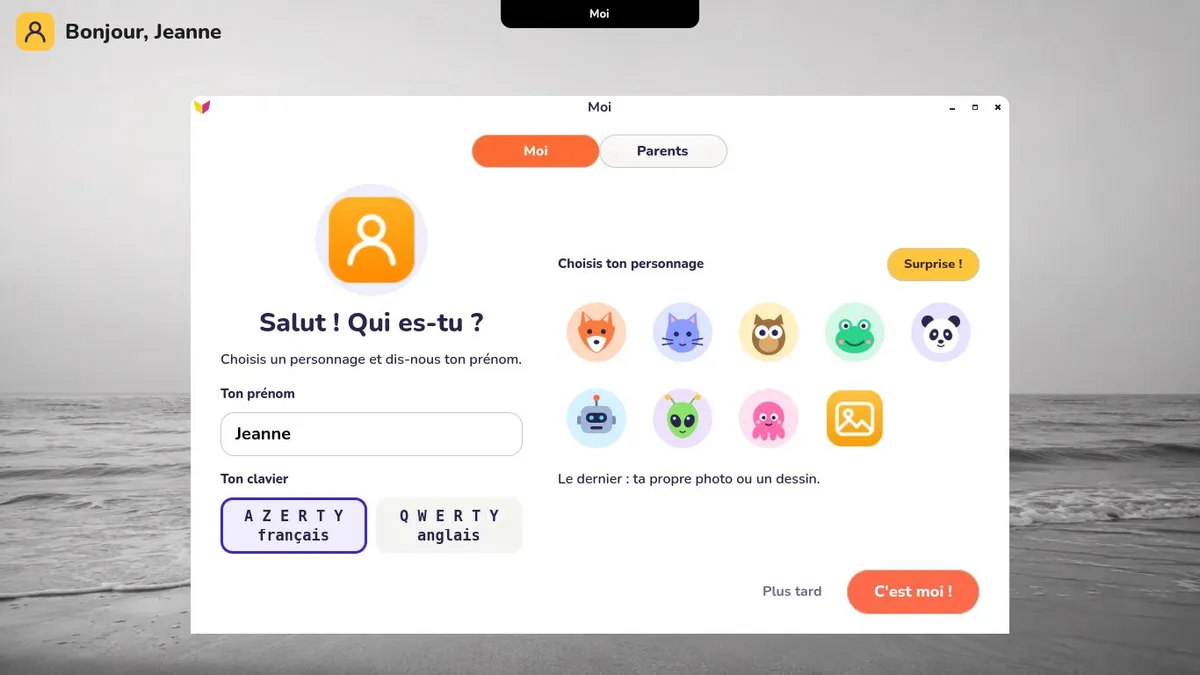
Your character or photo, your name, your keyboard. The Parents tab lives here too.
one profile file, nothing sent elsewhere
Andy
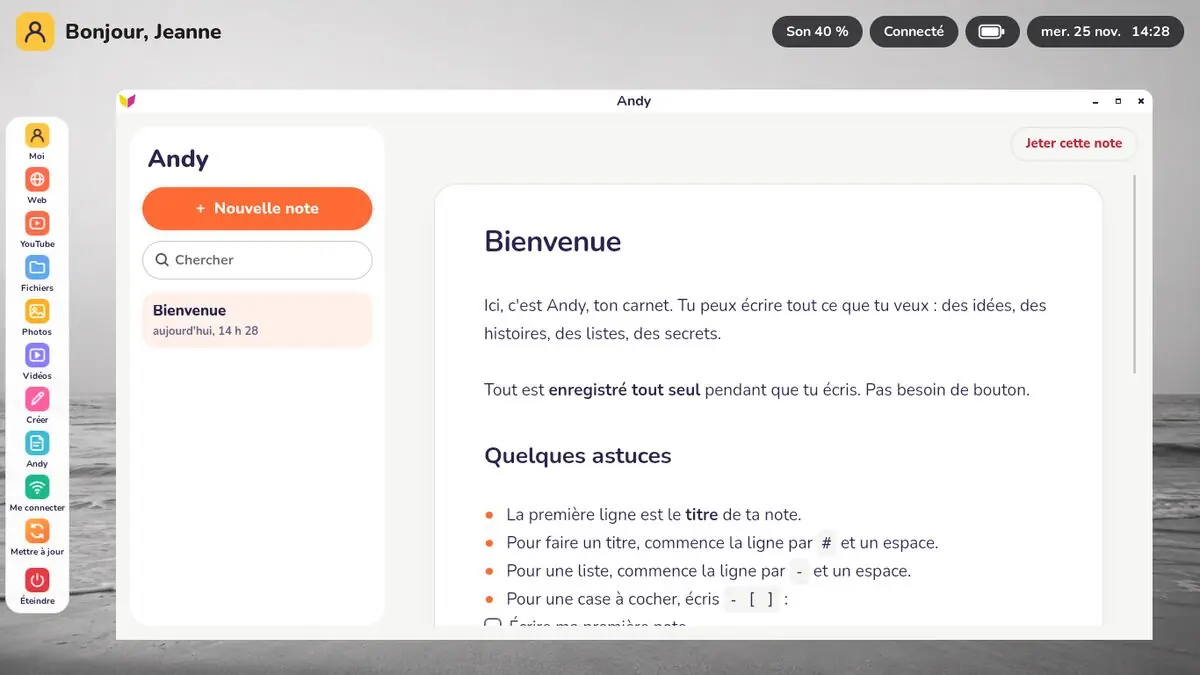
The notebook: you write, it saves by itself, with links between notes.
no “Save” button
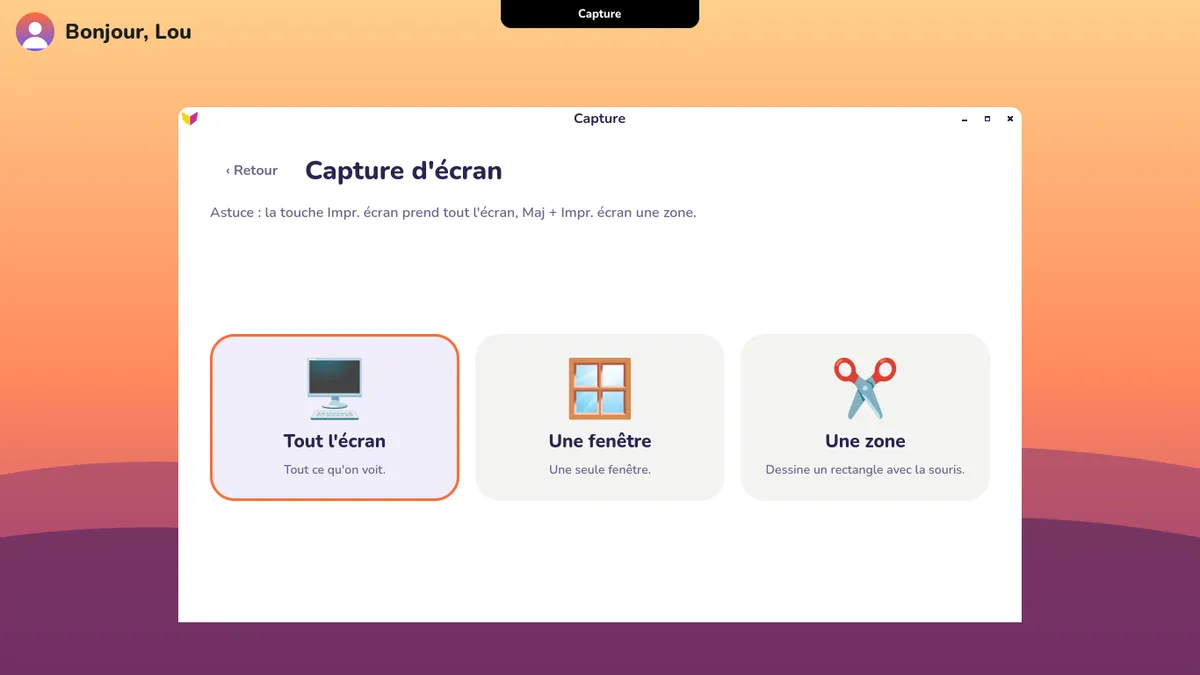
Capture
The whole screen, a window or an area, with the Print Screen key. It can also record the screen and the webcam.
the camera can be cut from the parents’ phone
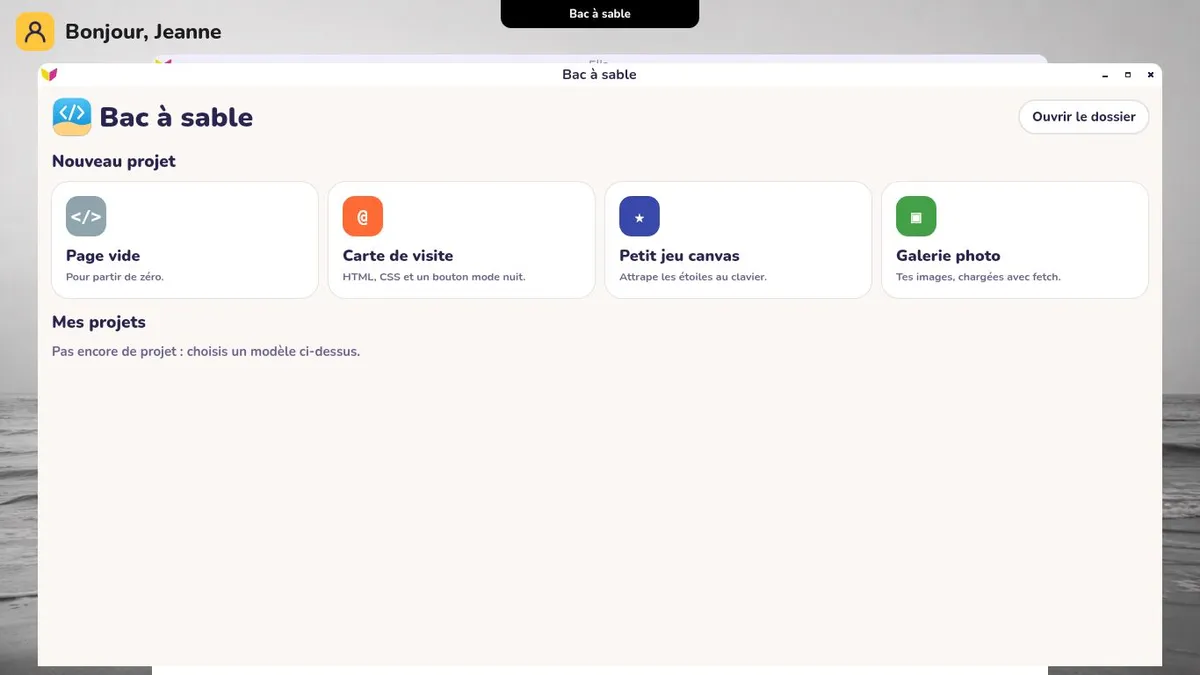
Sandbox
A real little HTML, CSS and JavaScript workshop: live preview, console, export.
errors explained, even offline
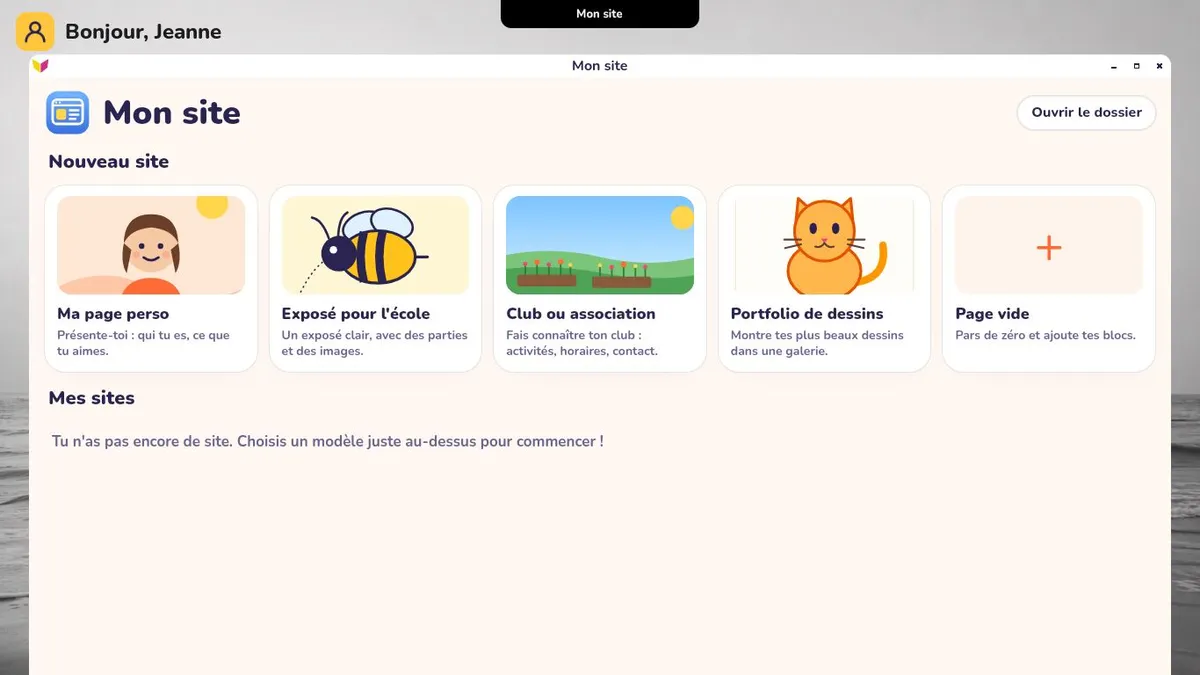
My website
Build a website by dragging blocks, phone-friendly.
exported as HTML
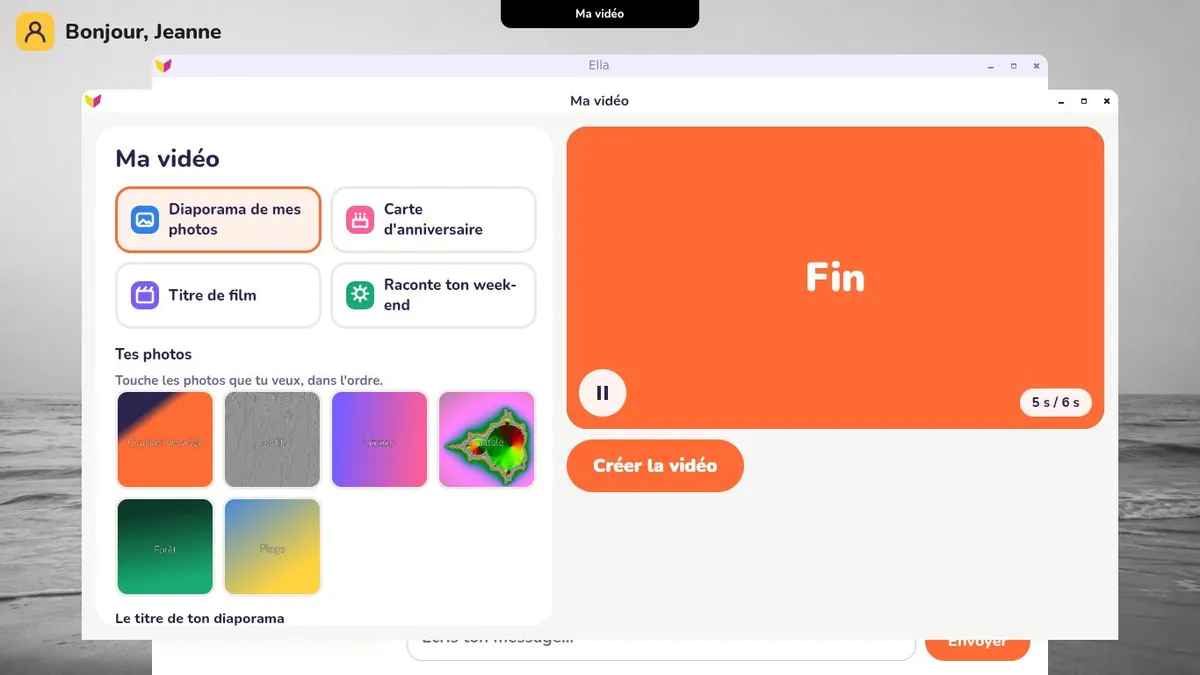
My video
A slideshow with music, a birthday card, a film title: a real MP4 video.
HyperFrames
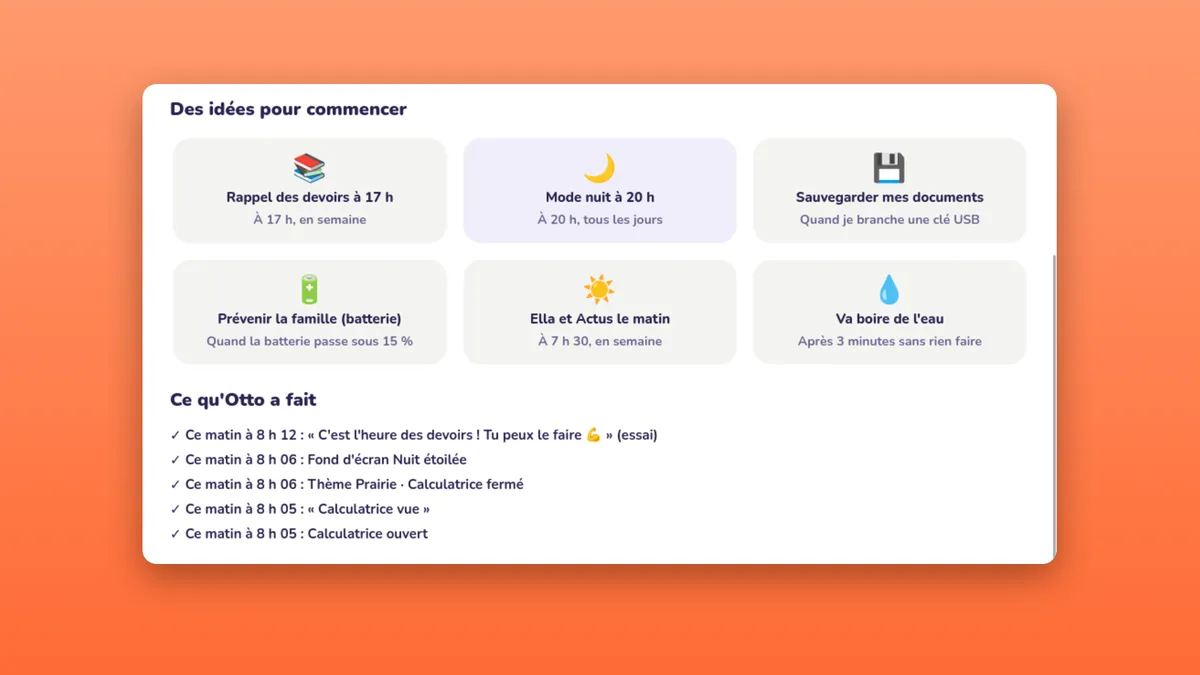
Otto
Your little robot: “When it is 5 pm, then remind me of my homework.” Ideas ready in one click.
no Internet, no account · parents can pause it
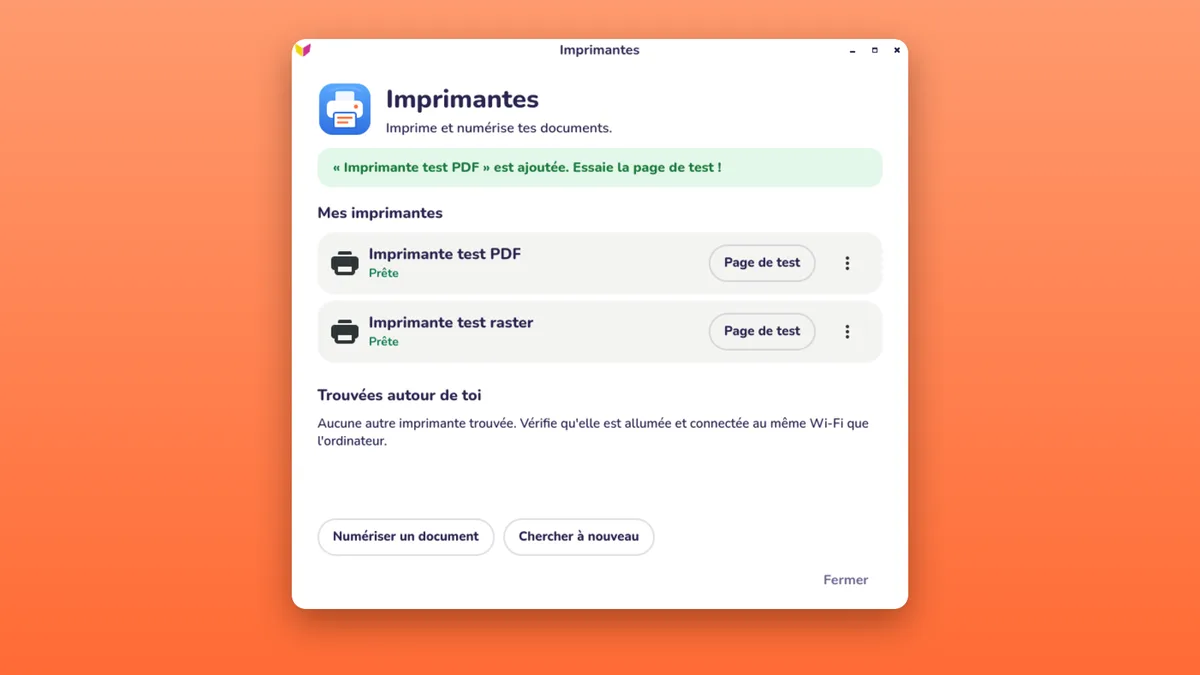
Printers
The home’s Wi-Fi printers are found automatically. Print, and scan to a photo or a PDF.
AirPrint / IPP Everywhere, no driver · being tested on real printers
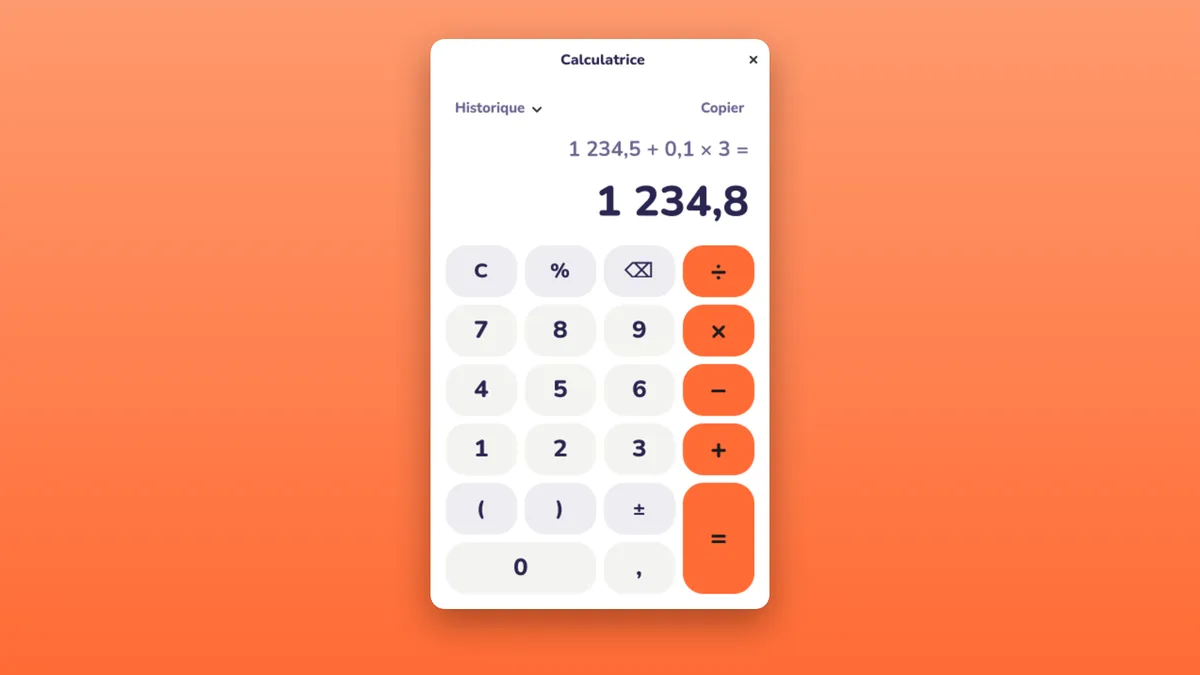
Calculator
By keyboard or mouse, with a history. It gets decimals right.
0,1 + 0,2 = 0,3
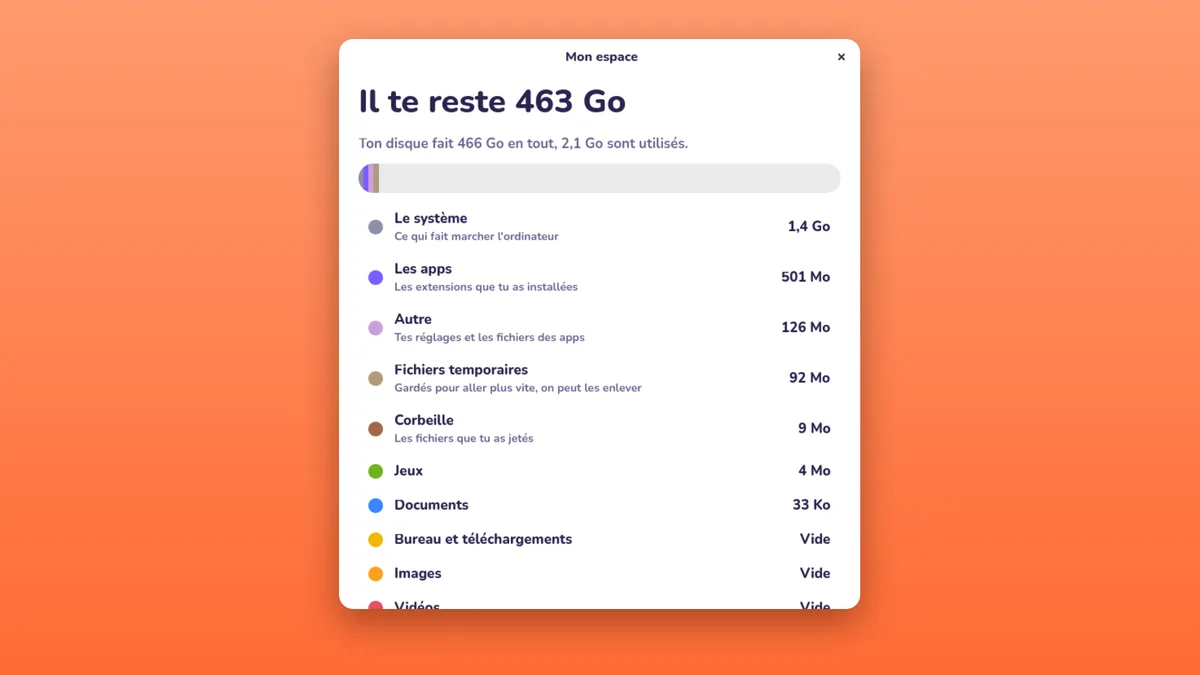
My space
How much room is left, and what takes it. “Make room” never touches your files.
warns when the disk is nearly full or getting tired
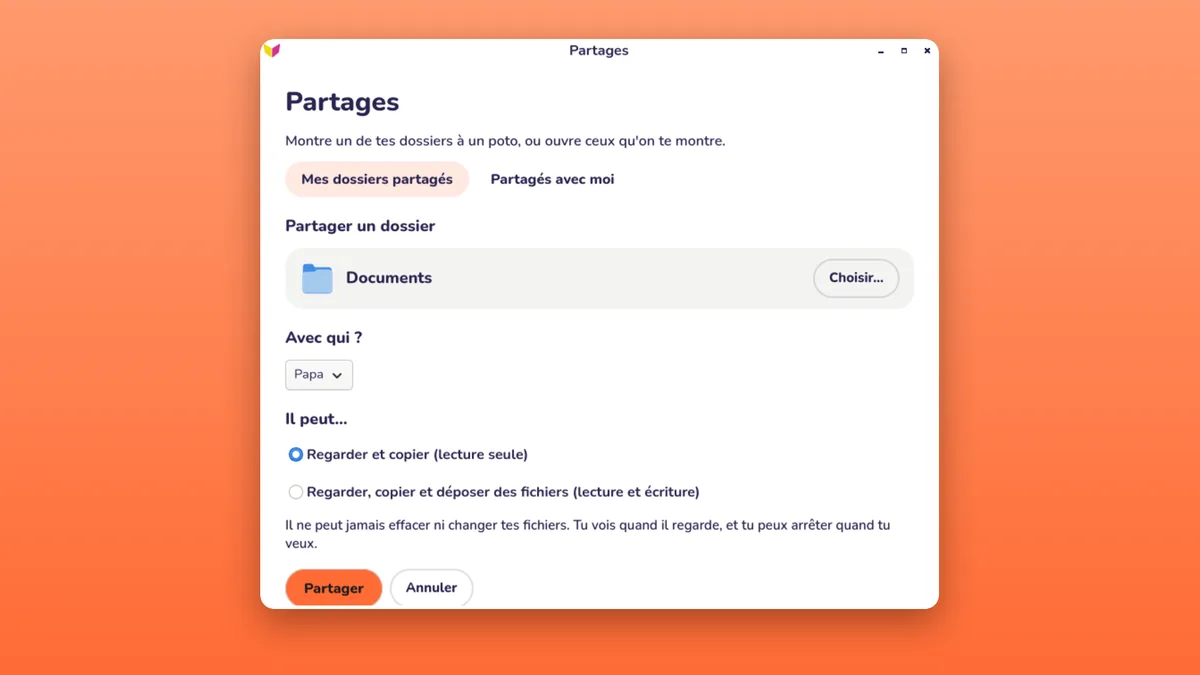
Shared folders
Show a folder to a Poto on the same Wi-Fi. You see who is looking, and you stop whenever you like.
files can be added, never changed or deleted
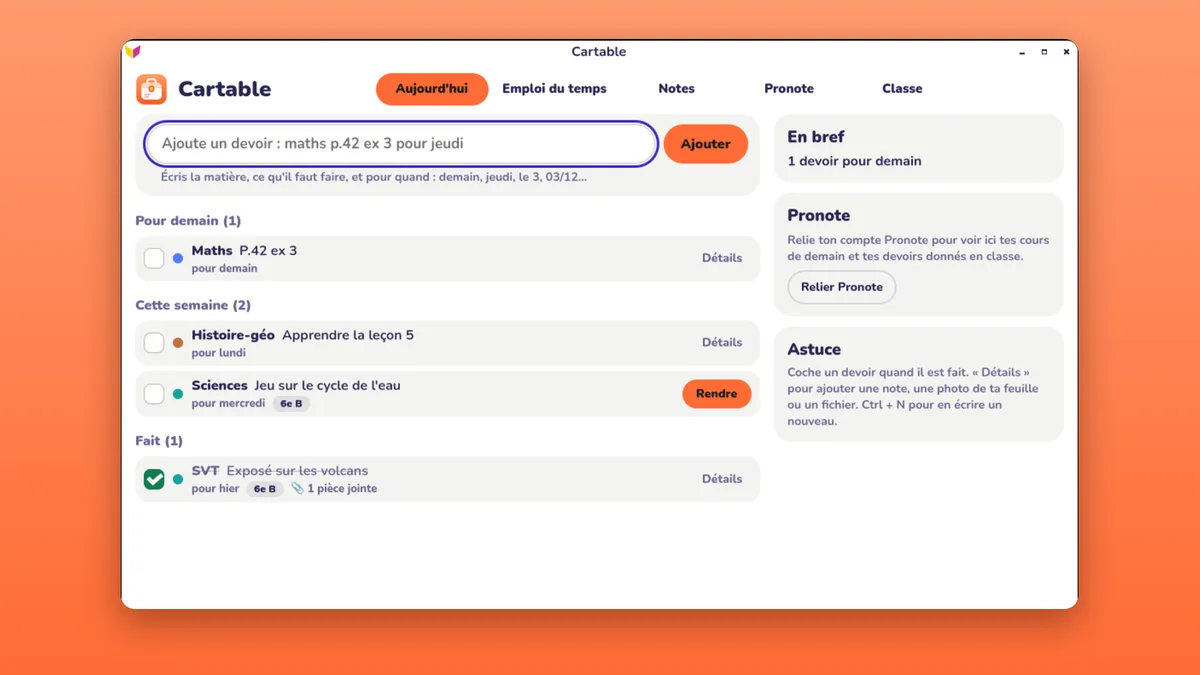
Cartable
Your homework, most urgent first, written the way you talk. Fidel reminds you the day before.
extension · parents see how much is left, never the content
Every extension is in beta, like Yapuka. Nothing installs unless you ask, updates included.