Print and scan
Open Imprimantes (Printers, System group). Printers switched on and on the same Wi-Fi appear by themselves: click Ajouter (add), then Page de test to check.
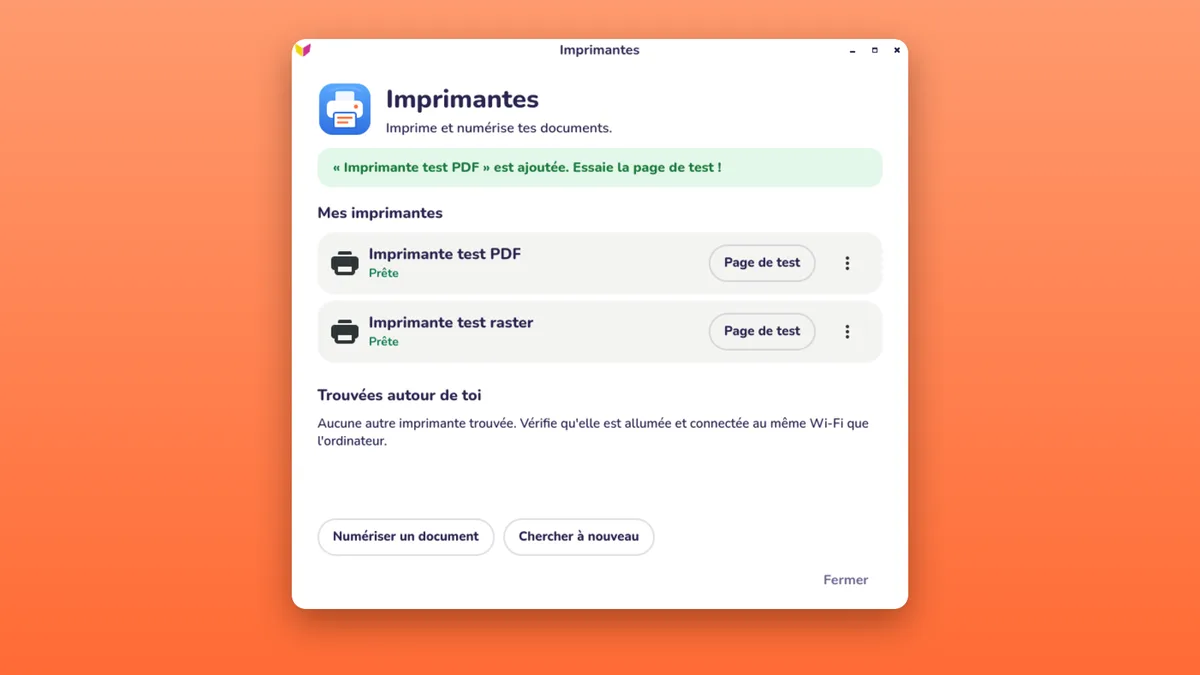
- Print: open your document (a web page, a photo, a note), then
Ctrl+Pand pick the printer. What is waiting to print shows in Printers; Annuler stops it. - Scan: put the sheet on the glass, click Numériser, then save it as a photo (in Images) or as a PDF (in Documents).
It works with Wi-Fi printers that support AirPrint or “IPP Everywhere” (most recent models), with no driver to install, and with network scanners. Printers plugged in by USB are not supported yet.
This is brand new: the printer in the test home is found, but trials on real printers are only starting. Tell us how it goes for you.
If the app says “Éteinte par tes parents”, printing has been switched off in Parent mode.
Updated on