Making your first video game (4/4): the big milestones, testing and sharing
· 2 min read

Your game has characters, weeks and surprises. It still needs a goal, a test, and a way to share it.
The big milestones
The big milestones are the goals that guide the player, and they say how the game ends. For each milestone, you write its name (“First tactic ready”), then when it is reached: for example “the number of projects released is at least 1”. You can add several conditions, and a reward. The game's endings are set just below.
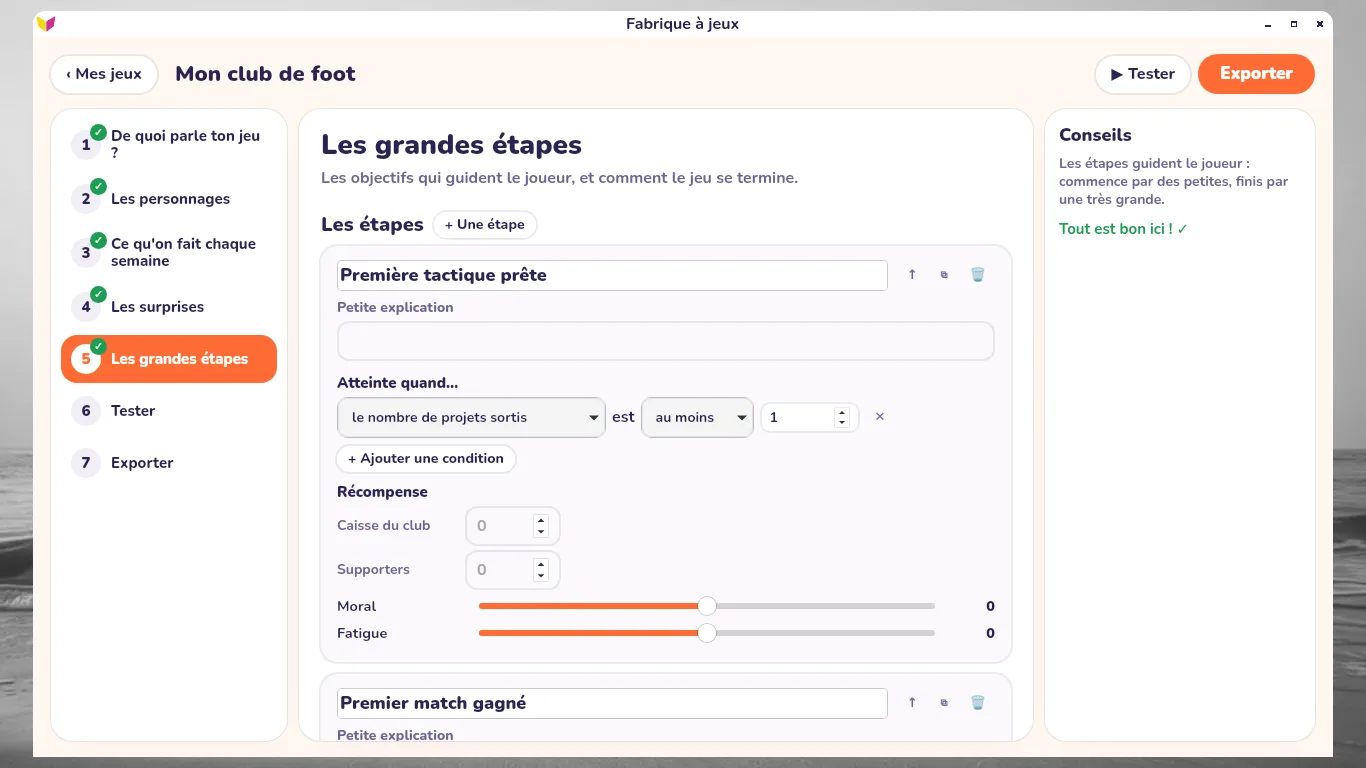
A tip: start with small milestones, finish with a very big one.
Test
The “Test” button runs your game inside the app. Play a few weeks: if you want to start over, “Restart the try”.
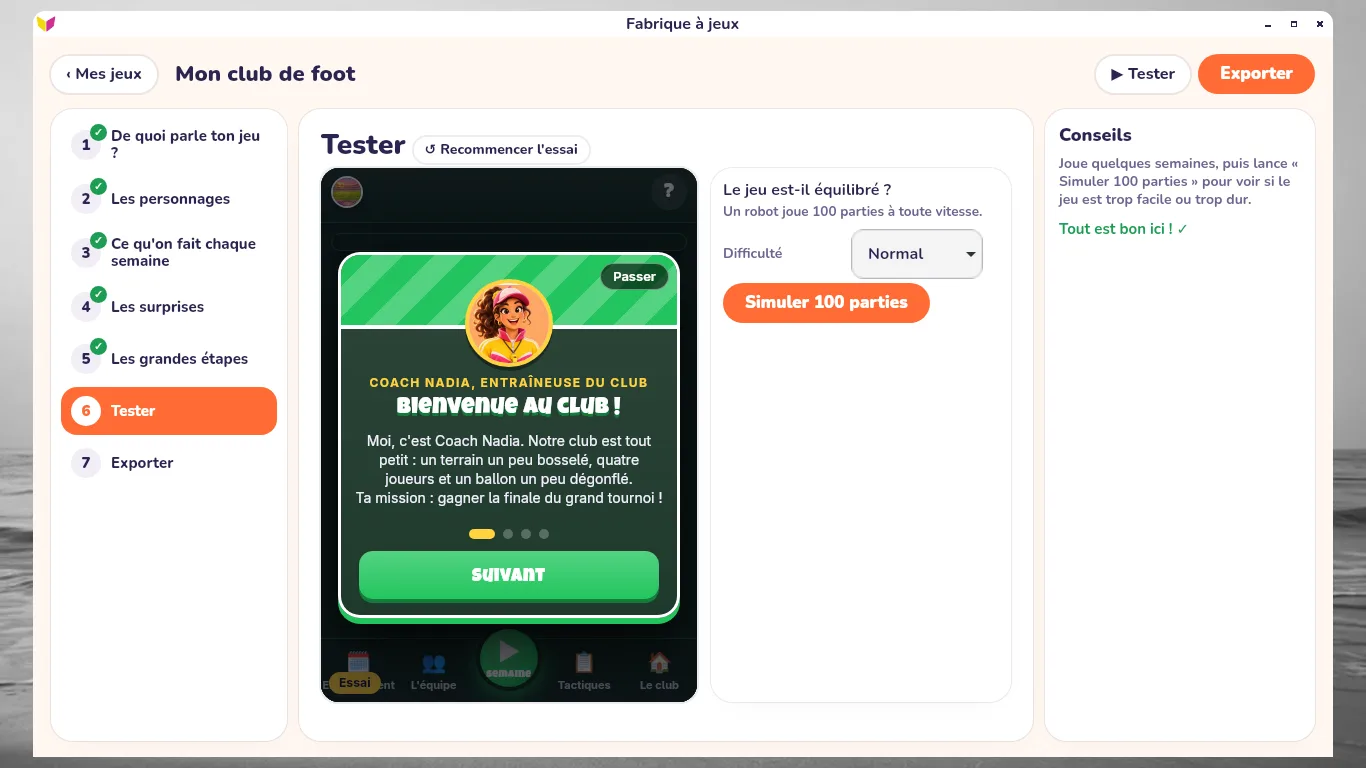
Simulate 100 games
Is the game balanced? A robot plays 100 games at full speed, and tells you whether the game is too easy or too hard. You can choose the difficulty: Easy, Normal or Hard. You see how many games are won or lost, how many weeks it takes to win, and for each big milestone, in what percentage of games it is reached.
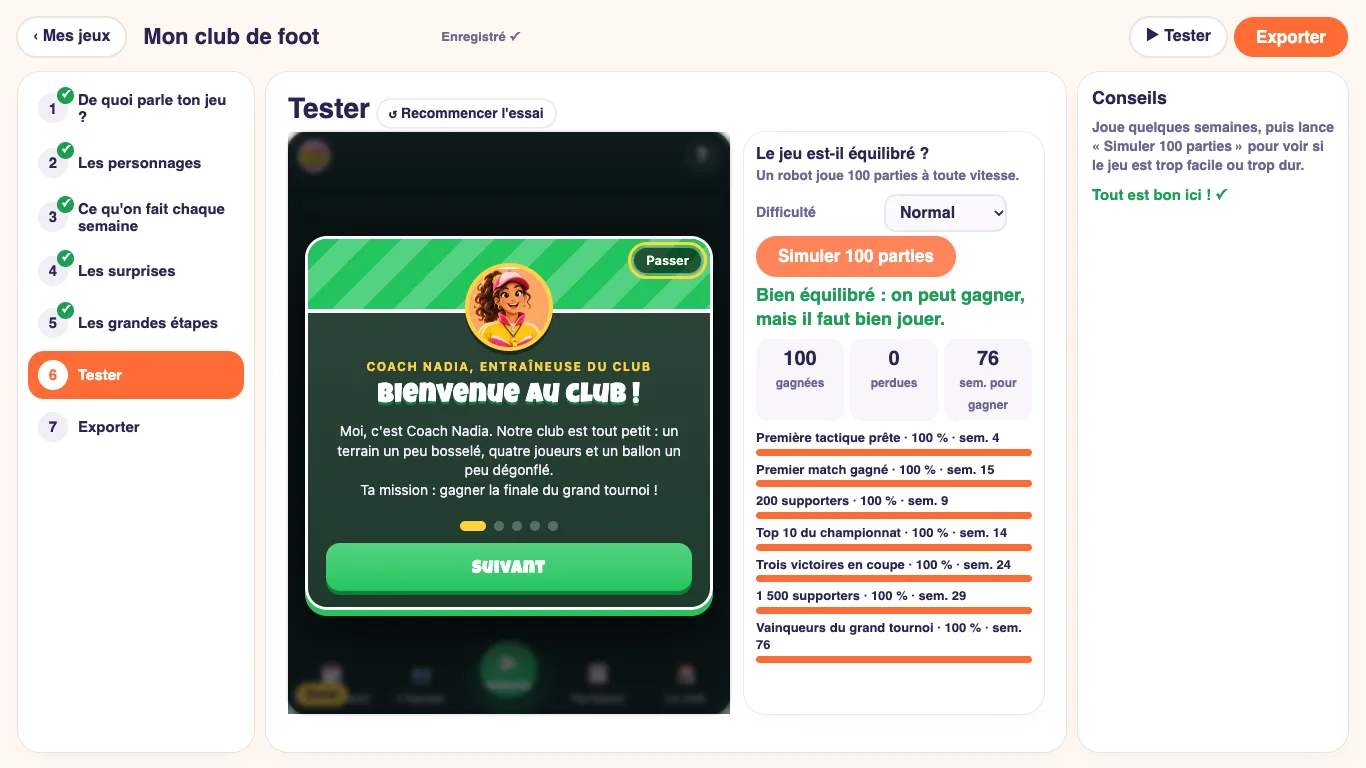
Export and share
When you are happy, “Export”: your game becomes a real web game, a folder that opens with a double-click, even without Internet, and a .zip file to share. You can play it right away with “Play in the browser” or “Open the folder”. To put it on a games portal, you give the .zip to its administrator.
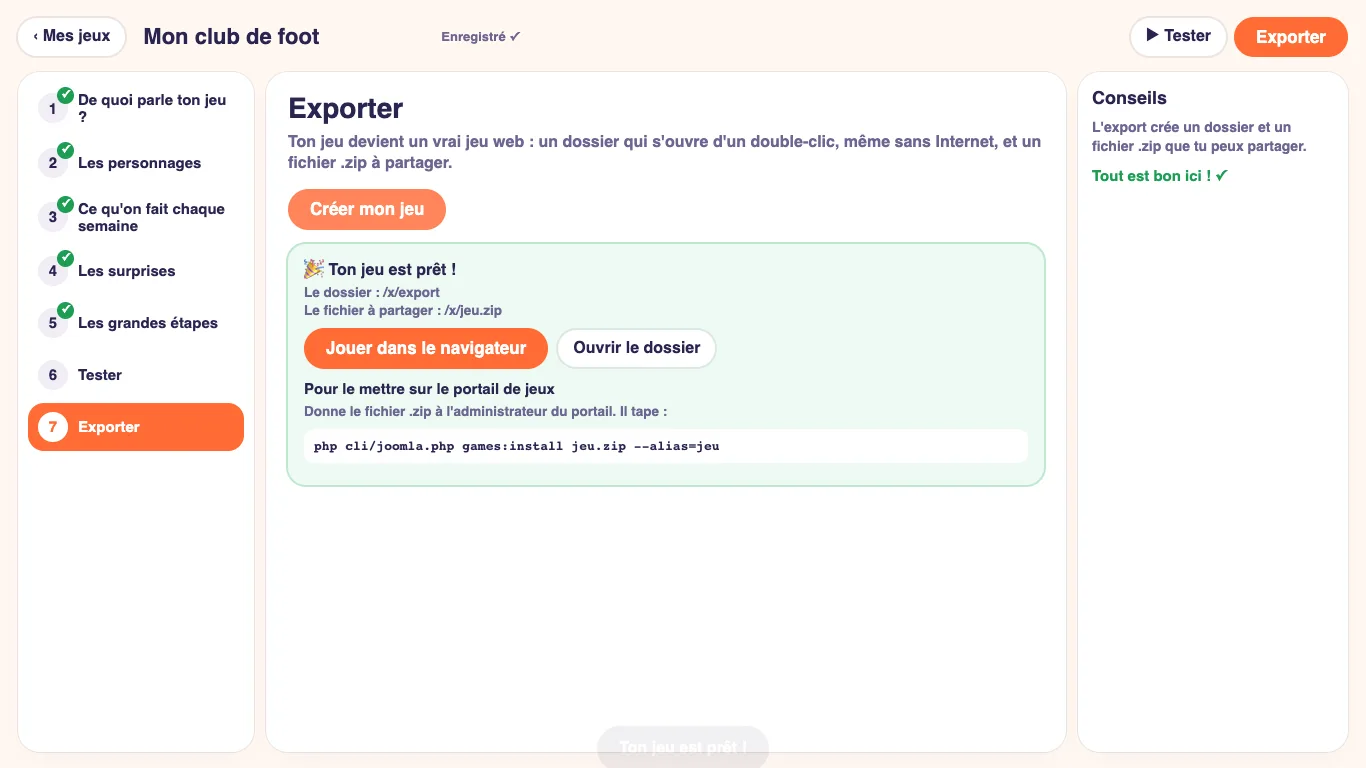
Well done: you made your first video game. Show it to us in the community!
Learn more: the Game maker extension page and its documentation article.