Making your first video game (3/4): each week and the surprises
· 2 min read

Time passes week after week. What your player chooses to do each week, and what happens without warning: that is what makes a management game feel alive.
What we do each week
In this step, you write the activities of each character. For example “Penalty shots”: it improves the Shooting talent. For each activity, you set its effect on money, supporters, morale and tiredness with sliders. You can also say “it's rest”: that is where injured members go.
There are also whole-team activities. The first is the one done by default: it must always be possible.
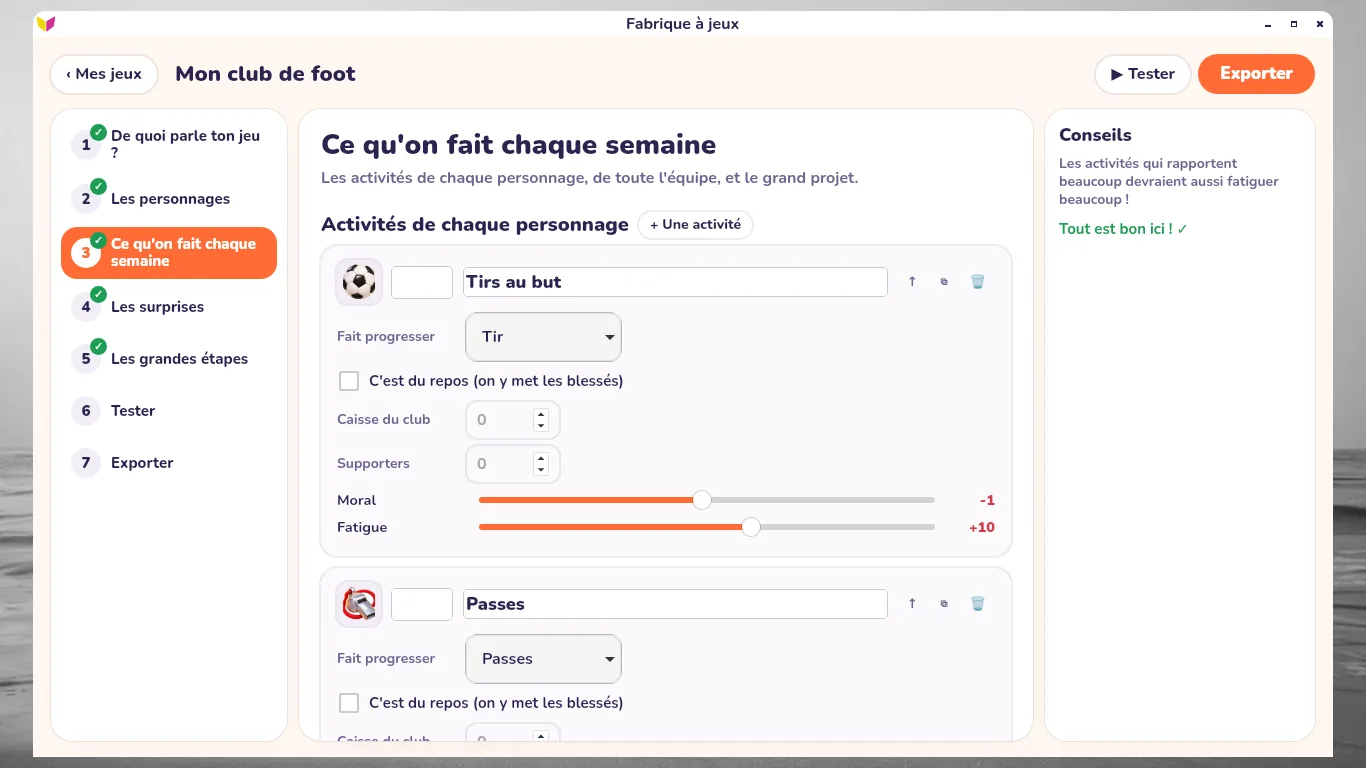
Further down in the same step:
- the big project: a song, an app, a harvest… You prepare it for a few weeks, then it pays off for several weeks;
- the weekly expenses: a negative number is an expense (“per member” multiplies by the size of the team);
- the upgrades to buy, with a price per level;
- the rivals: they get stronger every week, and you face them in challenges.
The surprises
Every so often a surprise happens and the player must choose what to do. With the frequency slider, you decide how often: 0.4 means one week in two or three.
For each surprise, you write:
- a title (“The ball has burst”);
- who tells it: the narrator, or a character;
- the story (write “(team)” so the team's name appears);
- its chances of happening, whether it happens only once in a game, whether it is urgent, and under which conditions it can happen;
- two to four choices for the player.
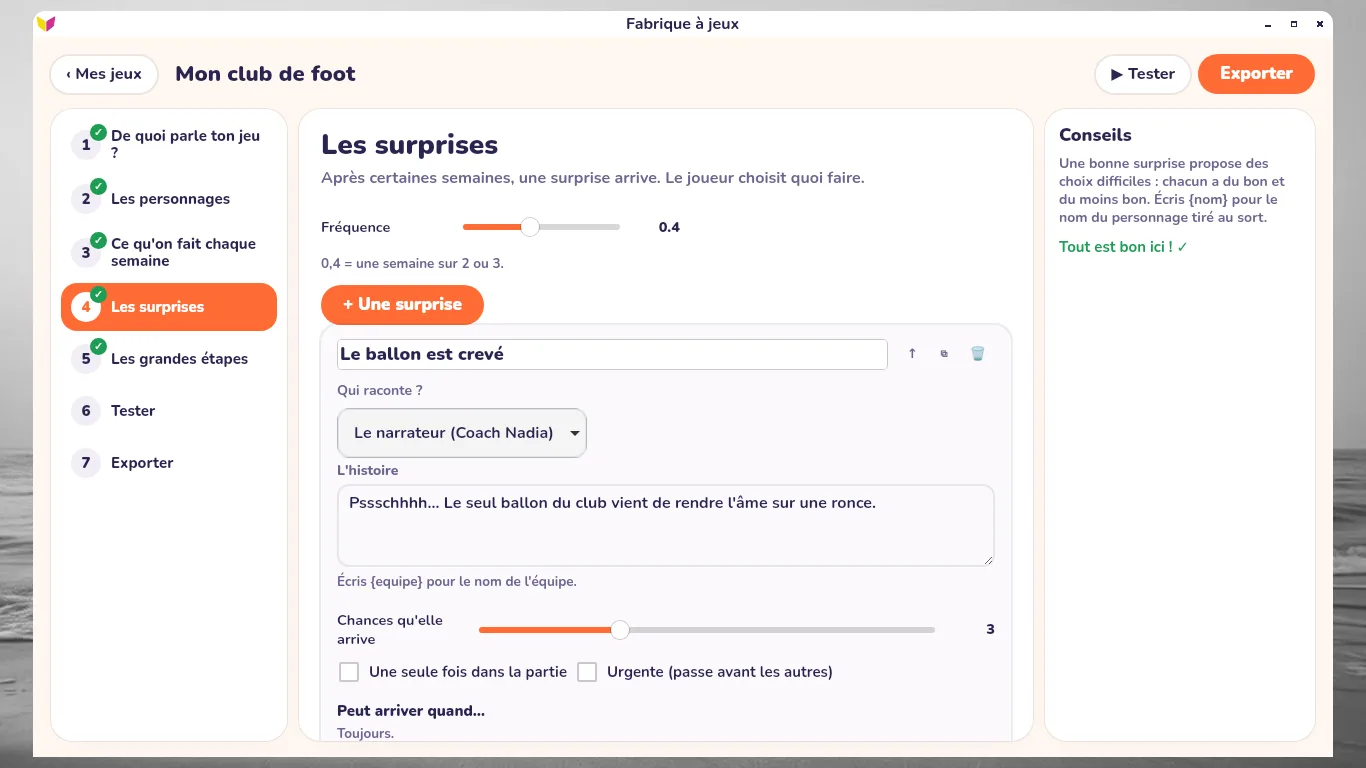
A tip from the “Tips” panel: a good surprise offers hard choices. Each one has a good side and a less good one.
Last step of the series: the big milestones, testing and sharing.
Learn more: the Game maker extension page and its documentation article.