
Game maker
betaInvent your own management game, test it, then share it.
- Yapuka app
- Ages 10+
- Create
- Parent mode: allowed
- Works offline
What you can do
- Make your own management game with no code, step by step.
- Invent the characters and their talents, what you do each week, the surprises and the big steps to win.
- Start from a template (music band, start-up, football club, farm, magic school) with ready illustrations, or add your own pictures.
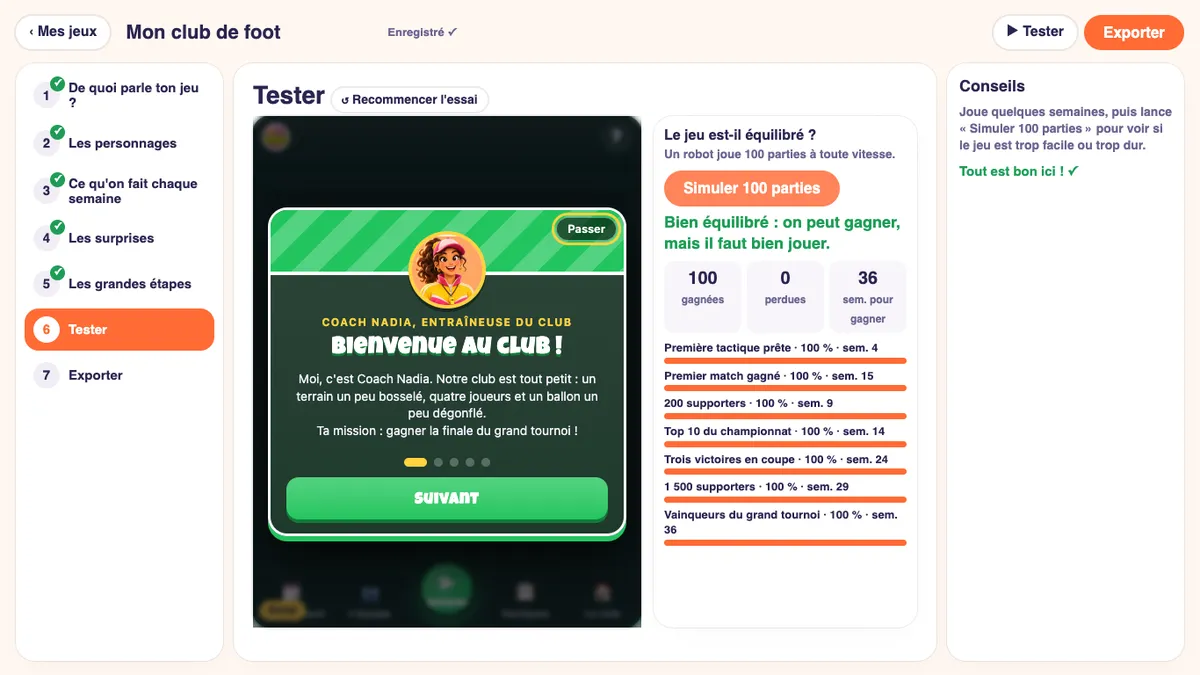
- Test your game at once, or ask a robot to play 100 games to see if it is too easy or too hard.
- Export a real web game that opens with a double-click.
Who it is for
From about age 10 (a guide, not a rule). No code to write, but you need to like inventing and have a little patience to set everything up.
What it needs
- Memory1.5 GB of memory (RAM) to be comfortable; with less, it works but slowly.
- Disk space≈ 6 MB on the disk, once installed.
- ProcessorAny that runs Yapuka.
- InternetNo: it works without Internet.
Parent mode
This extension is allowed even when safe mode is on.
How to install it
Open “Extensions” (System group of the dock), find “Game maker” and press Install. One tap. Once installed, it works without Internet.
Good to know
- The exported game works even without Internet and can go on the games portal.
- No account.
- Your games are kept in Documents › My games.
- It makes management games (like K-pop Manager or Start Me Up), not action games.
- Size: ≈ 6 MB.