Making your first video game (1/4): pick an idea and a template
· 2 min read

Ever played a game and thought “I'd have done it differently”? With Game maker, you can invent your own management game, without writing a line of code. This four-part series shows you how, from the idea to the game you share.
An idea, a template
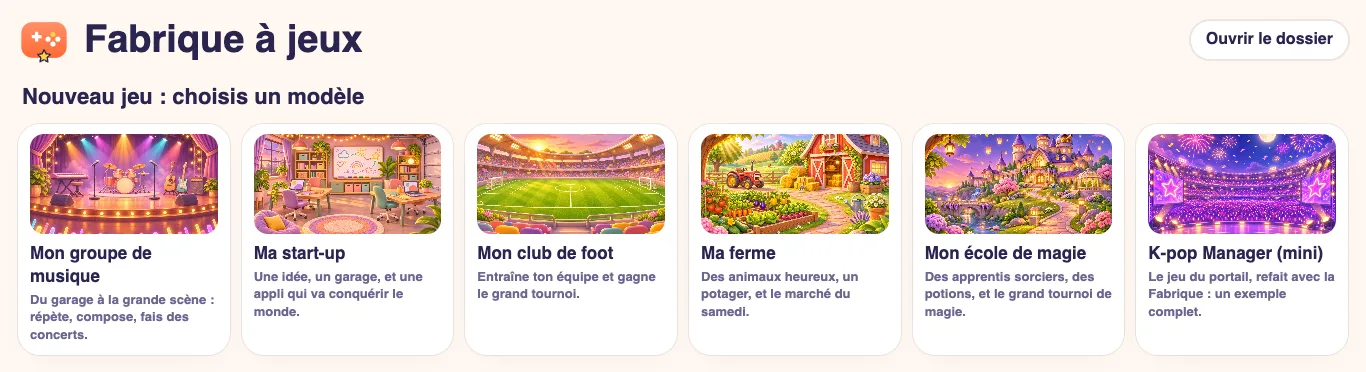
When you open Game maker, it asks: “New game: pick a template”. Six templates are waiting, with real stories and ready-made illustrations:
- My music band: from the garage to the big stage.
- My start-up: an idea, a garage and an app to launch.
- My football club: train your team and win the big tournament.
- My farm: animals, a vegetable patch and Saturday's market.
- My magic school: young wizards, potions and a big tournament.
- K-pop Manager (mini): the portal game, rebuilt with Game maker, a complete example.
Your game is then kept in “My games”: you can reopen it, copy it or delete it.
Step 1: what is your game about?
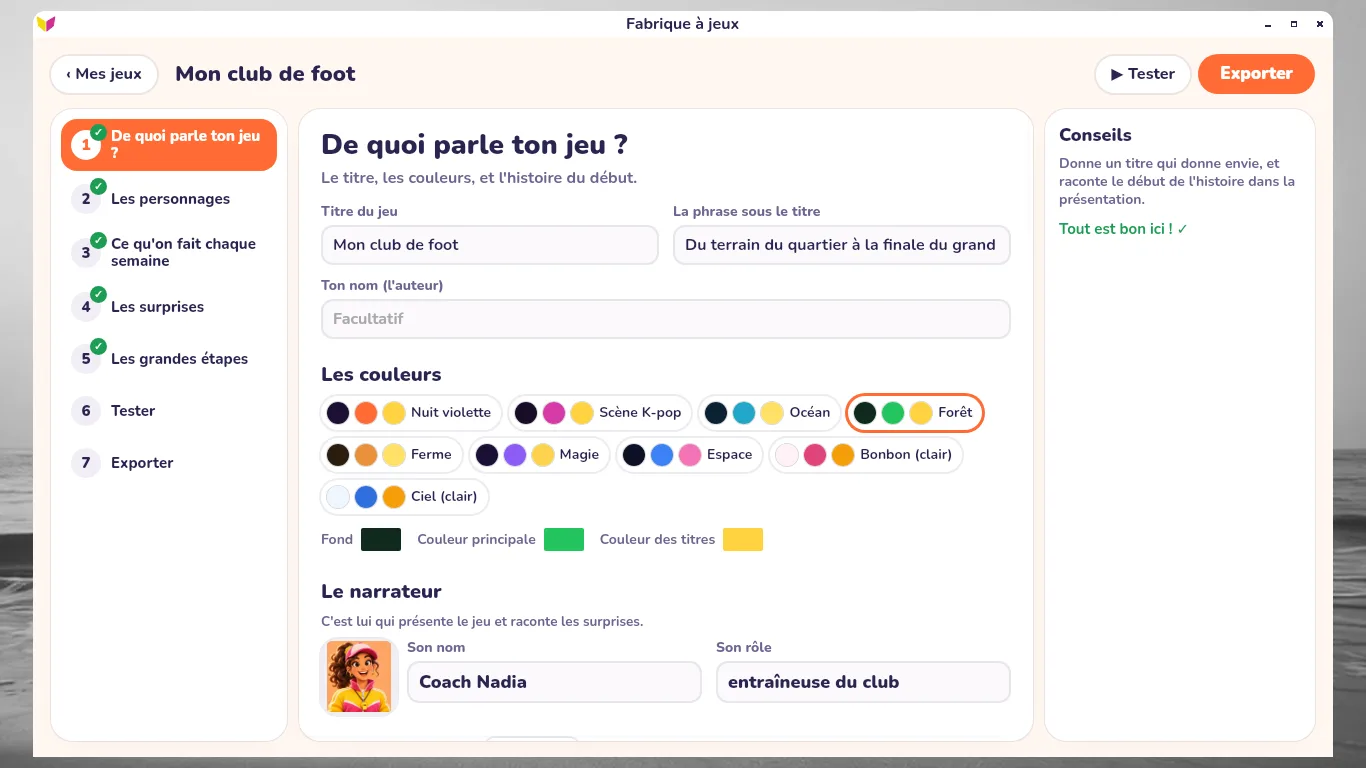
A game is made in seven steps, listed on the left: What is your game about?, The characters, What we do each week, The surprises, The big milestones, Test, Export. On the right, a “Tips” panel tells you what is left to set, and what is already fine.
The first step sets the scene:
- the game's title and the line under it;
- your name as author (optional);
- the colours: ready-made palettes (Violet night, K-pop stage, Ocean, Forest, Farm, Magic, Space, Candy, Sky), and three colours to set: the background, the main colour and the titles' colour;
- the narrator: who introduces the game and tells the surprises, with a name, a role and a picture;
- the introduction: the pages read at the start of the game, six at most;
- what we count: money, fans, apples… (six at most, the first is the game's “money”);
- the images: the game's cover and the backdrop of each tab.
A tip: don't aim for perfection. Pick a template you like, change the title and the colours, and move on. You can come back whenever you want.
Next step: the characters.
Learn more: the Game maker extension page and its documentation article.