
My website
betaBuild your website by dragging blocks, then export it.
- Yapuka app
- Ages 10+
- Create
- Parent mode: allowed
- Works offline
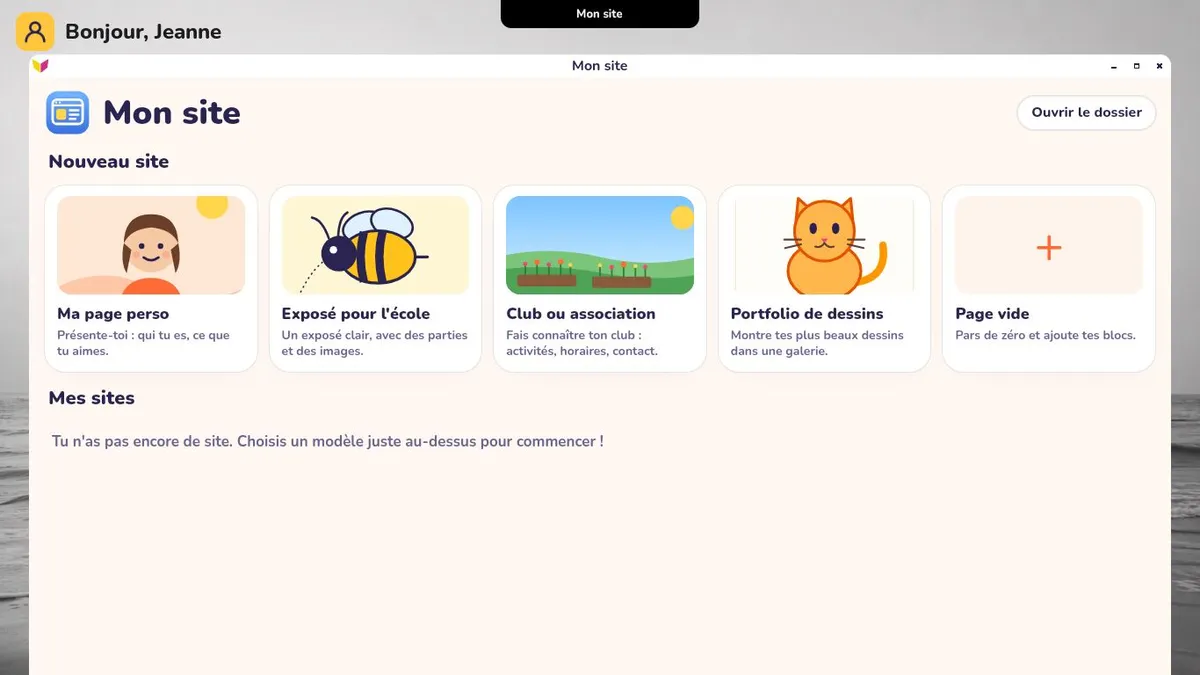
What you can do
- Build a real web page by dragging blocks: headings, text, images, columns, gallery, video.
- Change colours, fonts and margins.
- Check that your page looks good on computer, tablet and phone.
- Start from a template: personal page, school presentation, club or association, drawing portfolio.
- Export your site as real HTML and CSS files, with a .zip.
Who it is for
From about age 10 (a guide, not a rule). No code to write.
What it needs
- Memory1.5 GB of memory (RAM) to be comfortable; with less, it works but slowly.
- Disk space≈ 2 MB on the disk, once installed.
- ProcessorAny that runs Yapuka.
- InternetNo: it works without Internet.
Parent mode
This extension is allowed even when safe mode is on.
How to install it
Open “Extensions” (System group of the dock), find “My website” and press Install. One tap. Once installed, it works without Internet.
Good to know
- The exported site opens in any browser, even without Internet.
- No account.
- Your pictures come from your Pictures folder; your sites are kept in Documents › My sites.
- Your site stays on your computer: “Export” makes files, nothing goes online by itself.
- Size: ≈ 2 MB.