
LibreOffice
betaWrite, calculate and present: documents, spreadsheets and slides.
- Full program
- Ages 8+
- Office and school
- Parent mode: allowed
- Works offline
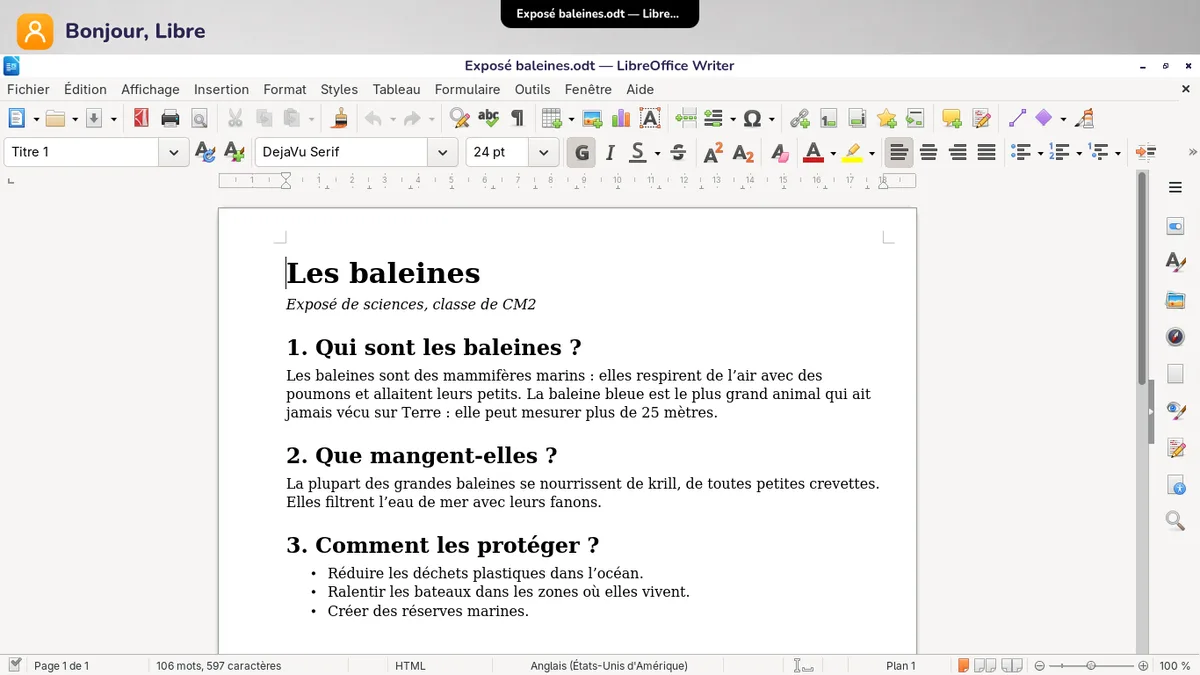
What you can do
- Write a report, a letter or an essay with Writer.
- Make tables, calculations and charts with Calc.
- Prepare a slideshow for class with Impress.
- Open and save Word, Excel and PowerPoint files.
- Export to PDF to send or print.
Who it is for
From about age 8 (a guide, not a rule) to write a simple text; spreadsheets and slideshows more from about 10.
What it needs
- Memory2 GB of memory (RAM) to be comfortable; with less, it works but slowly.
- Disk space≈ 560 MB on the disk, once installed.
- ProcessorAny that runs Yapuka.
- InternetNo: it works without Internet.
Parent mode
This extension is allowed even when safe mode is on.
How to install it
Open “Extensions” (System group of the dock), find “LibreOffice” and press Install. One tap. Once installed, it works without Internet.
Good to know
- In French, with the French spell checker.
- Works without Internet and without an account.
- Fonts compatible with Arial, Times and Calibri are installed, so documents you receive keep their layout.
- Automatic hyphenation is not available in French yet.
- It is the biggest extension after Blender and Kdenlive.
- Size: ≈ 560 MB.