
Kdenlive
betaEdit your videos: cuts, transitions, titles and music.
- Full program
- Ages 12+
- Create
- Parent mode: code asked
- Works offline
- Powerful computer recommended
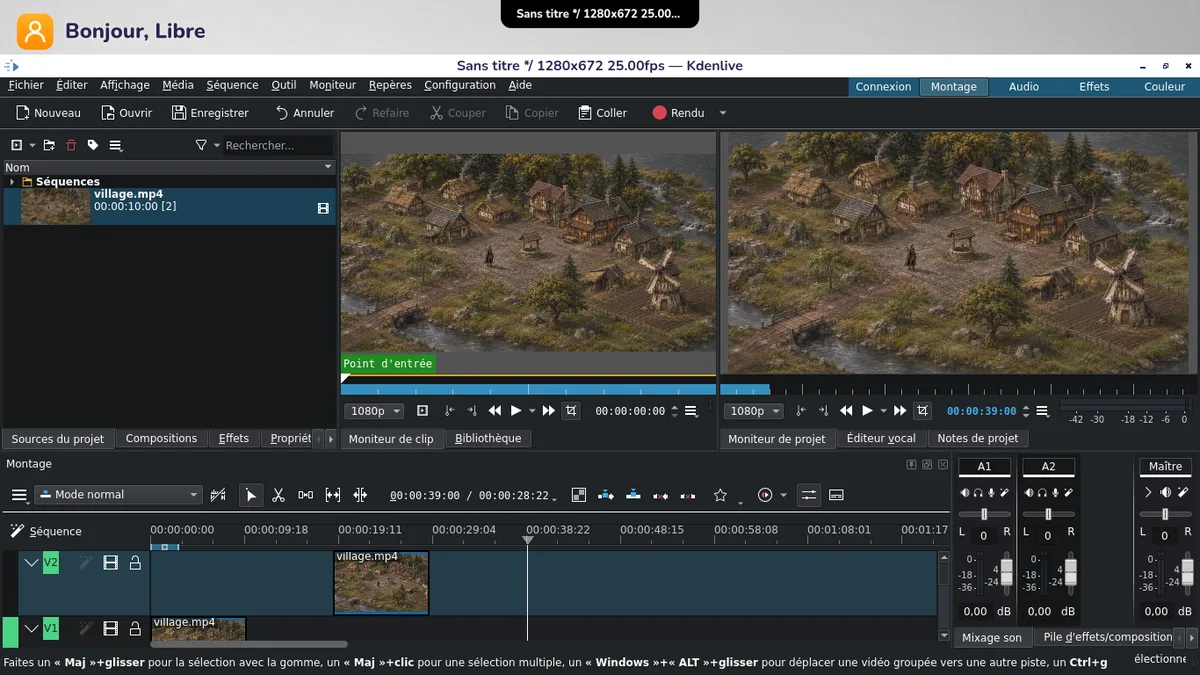
What you can do
- Put your videos, photos and sounds on a timeline.
- Cut, move and join the shots.
- Add transitions, titles and music.
- Save your film in a format everyone can play.
Who it is for
Rather from age 12 (a guide, not a rule). For a first short film, “My video” is much simpler.
What it needs
- Memory8 GB of memory (RAM) to be comfortable; with less, it works but slowly.
- Disk space≈ 870 MB on the disk, once installed.
- ProcessorA fairly powerful processor: on a small one, it works but slowly.
- InternetNo: it works without Internet.
Parent mode
When safe mode is on, this extension asks for the parent code.
How to install it
Open “Extensions” (System group of the dock), find “Kdenlive” and press Install. One tap. Once installed, it works without Internet.
Good to know
- Powerful computer recommended: editing needs a lot of memory and processing power, it can be slow on an older computer.
- In French, works without Internet, no account.
- Safe mode asks for the parent code to install it.
- It is the biggest extension: make sure you have room.
- Size: ≈ 870 MB.