
GIMP
betaEdit your photos: crop, fix the colours, add text.
- Full program
- Ages 10+
- Create
- Parent mode: allowed
- Works offline
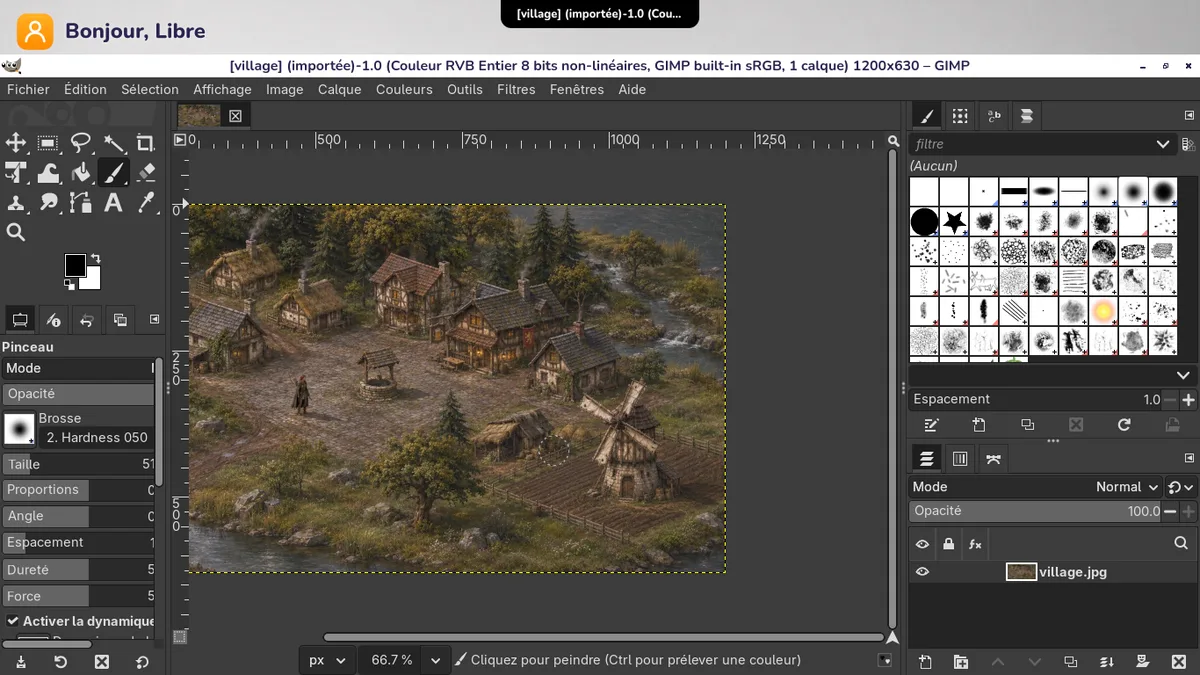
What you can do
- Crop, straighten and resize a photo.
- Fix the light, contrast and colours.
- Remove an unwanted detail with the clone tool.
- Combine several images with layers and add text.
- Save as JPEG or PNG, or keep your work as XCF to carry on later.
Who it is for
From about age 10 (a guide, not a rule). GIMP has a lot of menus: it is best to start with one thing, cropping a photo for example. For younger children, “Drawing” (already in Yapuka) is simpler.
What it needs
- Memory2 GB of memory (RAM) to be comfortable; with less, it works but slowly.
- Disk space≈ 150 MB on the disk, once installed.
- ProcessorAny that runs Yapuka.
- InternetNo: it works without Internet.
Parent mode
This extension is allowed even when safe mode is on.
How to install it
Open “Extensions” (System group of the dock), find “GIMP” and press Install. One tap. Once installed, it works without Internet.
Good to know
- This is the real GIMP (version 3), in French.
- Works without Internet, no account.
- On first start a welcome window opens, partly in English: you can close it.
- On an older computer it takes a while to start.
- Size: ≈ 150 MB.