
Sandbox
betaA real little web workshop: HTML, CSS and JavaScript, with a live preview.
- Yapuka app
- Ages 12+
- Learn
- Parent mode: allowed
- Works offline
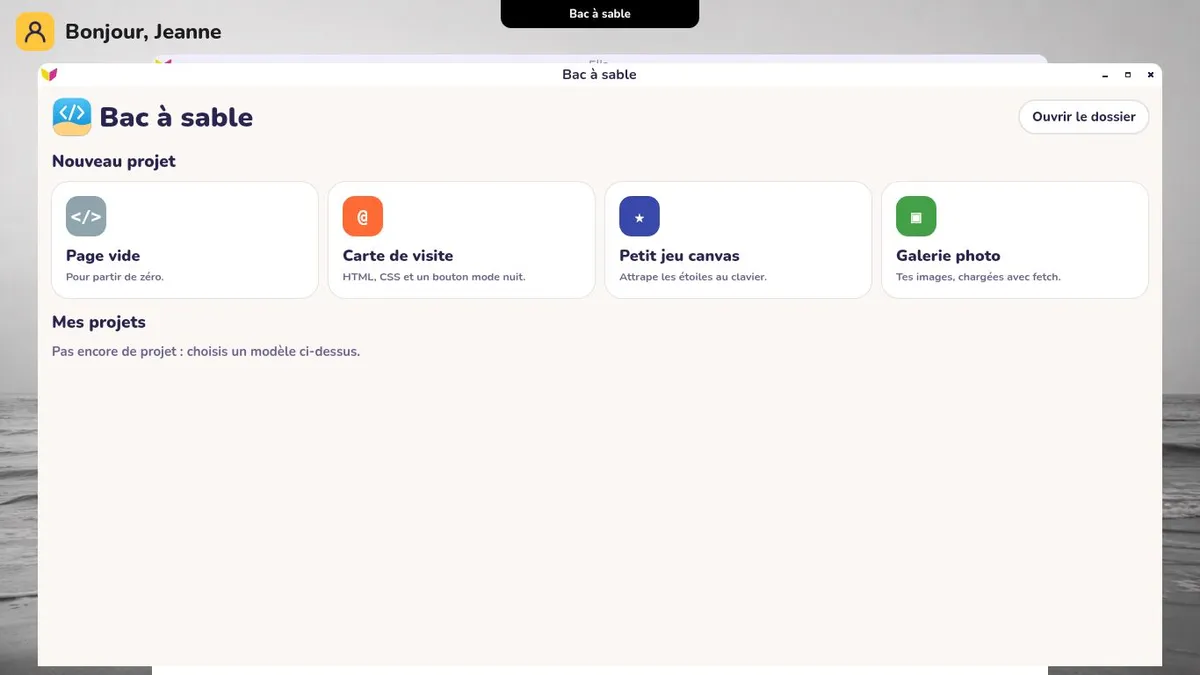
What you can do
- Write web pages in HTML, CSS and JavaScript and see the result at once.
- See the preview at phone, tablet or computer size.
- Add your pictures and create other files.
- Read the console to find your errors: one click takes you to the right line.
- Start from a template: empty page, business card, small canvas game, photo gallery.
Who it is for
From about age 12 (a guide, not a rule), for teenagers and parents who want to write real web code.
What it needs
- Memory1.5 GB of memory (RAM) to be comfortable; with less, it works but slowly.
- Disk space≈ 1 MB on the disk, once installed.
- ProcessorAny that runs Yapuka.
- InternetNo: it works without Internet.
Parent mode
This extension is allowed even when safe mode is on.
How to install it
Open “Extensions” (System group of the dock), find “Sandbox” and press Install. One tap. Once installed, it works without Internet.
Good to know
- Everything works without Internet.
- No account.
- Your projects are plain files in Documents › Sandbox; you can open them in the browser or export them as .zip.
- Size: ≈ 1 MB.