
Learn Korean
betaRead hangeul and say your first Korean words, with Hodu the little tiger.
- Yapuka app
- Ages 8+
- Learn
- Parent mode: allowed
- Works offline
What you can do
- Discover hangeul, the Korean alphabet, in six short steps that unlock one after another.
- Learn six vowels and eight consonants, then build your own syllables by putting letters together.
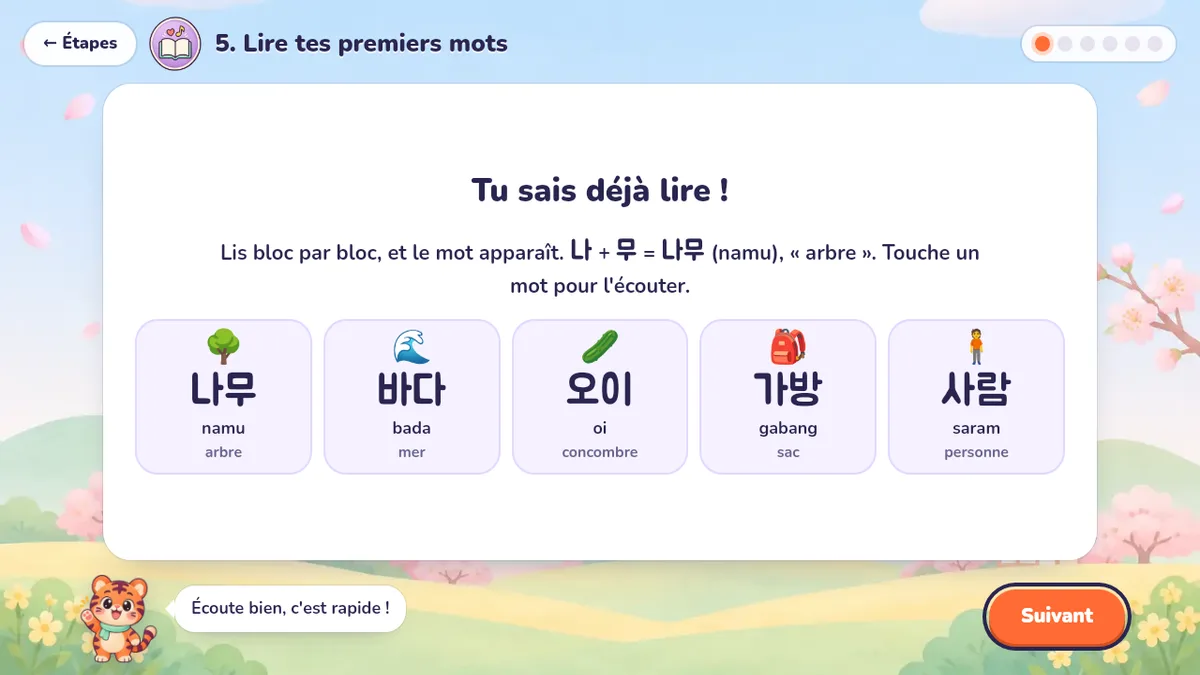
- Read your first words (사랑, 음악, 친구, 김치…) and say hello, thank you, yes, no.
- Play at every step: find the right letter, listen and choose, match the pairs, memory, and a bonus quick-fire round with or without a timer.
- Earn stars with Hodu, the little tiger who cheers you on.
Who it is for
From about age 8 (a guide, not a rule), and great for teens who love K-pop or Korean shows. It starts from zero.
What it needs
- Disk space≈ 0,6 MB on the disk, once installed.
- ProcessorAny that runs Yapuka.
- InternetNo: it works without Internet.
Parent mode
This extension is allowed even when safe mode is on.
How to install it
Open “Extensions” (System group of the dock), find “Learn Korean” and press Install. One tap. Once installed, it works without Internet.
Good to know
- It is a very first step: at the end you can read simple hangeul and say a few words, not speak Korean.
- You can listen to most syllables, words and phrases. The voices were made with a free speech synthesizer (MeloTTS) and checked one by one with speech recognition: it is not a real person, and about ten single syllables (including the vowel “u”, 우) have no sound, because the voice did not say them well enough.
- Every word is shown in hangeul, in the official romanization (annyeonghaseyo) and with a French “sounds like” hint (the app is in French).
- Works without Internet, no account, no ads. Your progress is kept on the computer.
- Size: ≈ 0,6 MB.